
A professional website can help your beauty salon make a strong first impression. It gives potential clients one place to explore treatments, compare prices, view completed work and contact your team. More importantly, it can turn online searches into booked appointments.
A salon website needs more than attractive colors and polished images. It should help visitors find services, select a team member and schedule an appointment without confusion. It should also help the salon owner manage service information, staff profiles, customer inquiries and bookings.
The beauty salon website development process starts with planning. You need to choose a suitable platform, organize the pages and decide how important features will work. Design matters, but reliable functionality must come first.
If you need professional help, Beauty Salon Website Design and Development from The Custom Websites can provide a solution based on your brand, services and booking requirements.
This guide explains how to build a professional beauty salon website from planning and development to testing, launch and maintenance.
1. Start With the Purpose of Your Beauty Salon Website
Before choosing colors or creating page layouts, decide what the website needs to achieve.
Different beauty businesses have different goals. A hair salon may focus on haircut, hair styling and hair coloring appointments. A nail salon may need clear manicure and pedicure menus. A beauty spa may promote facials, skincare and spa treatments.
An independent makeup artist may need a portfolio and bridal makeup inquiry form. A salon with several cosmetologists, estheticians and beauty therapists may require staff profiles and individual booking calendars.
First, identify the main action you want visitors to take. Common goals include:
Booking an appointment
Viewing salon services
Checking treatment prices
Choosing a staff member
Calling the salon
Requesting a consultation
Finding the salon location
Viewing completed work
Buying a gift card or package
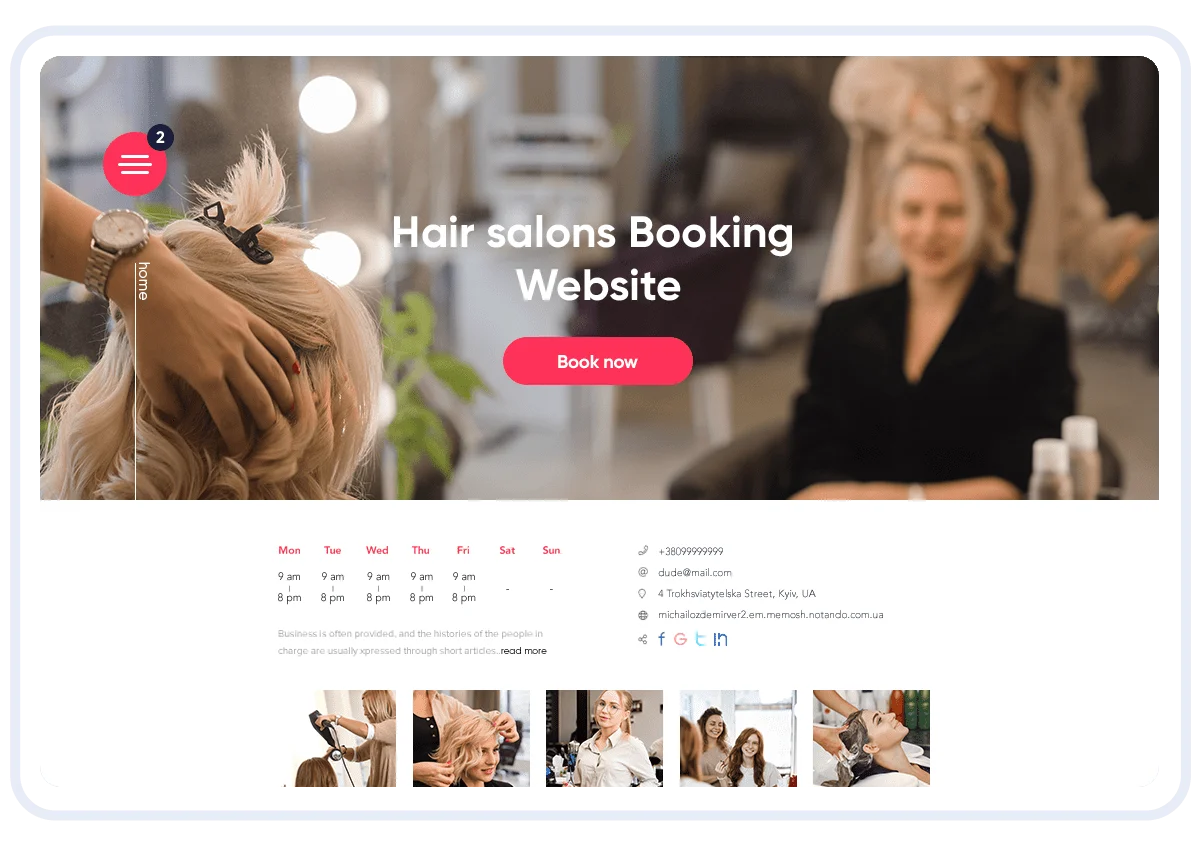
Your primary goal should guide the beauty salon website structure. If appointment bookings matter most, every main page should provide a clear route to the booking system.
You should also decide whether the website will support one location or several branches. A single location website can use a simple page hierarchy. A larger beauty business may need separate location pages, local service information and different staff schedules.
2. Understand Your Ideal Salon Clients
The website should meet the needs of the clients your salon wants to attract. Consider their location, budget, preferred services and reasons for visiting.
A luxury beauty spa may serve clients looking for premium facials and skincare treatments. A family hair salon may focus on convenient services for adults and children. A nail salon may attract customers interested in current styles, clear prices and easy repeat appointments.
A bridal beauty business may need to explain makeup packages, trial sessions, group services and travel arrangements. In this case, a detailed inquiry form may work better than a standard appointment form.
Understanding your clients will influence:
Website content
Service categories
Homepage messages
Photography
Appointment options
Contact methods
Mobile functionality
Page navigation
This information also helps developers decide which beauty salon website features deserve the most attention. Avoid adding functions simply because another salon uses them. Each feature should support a real client or business need.
3. Choose a Domain Name and Reliable Hosting
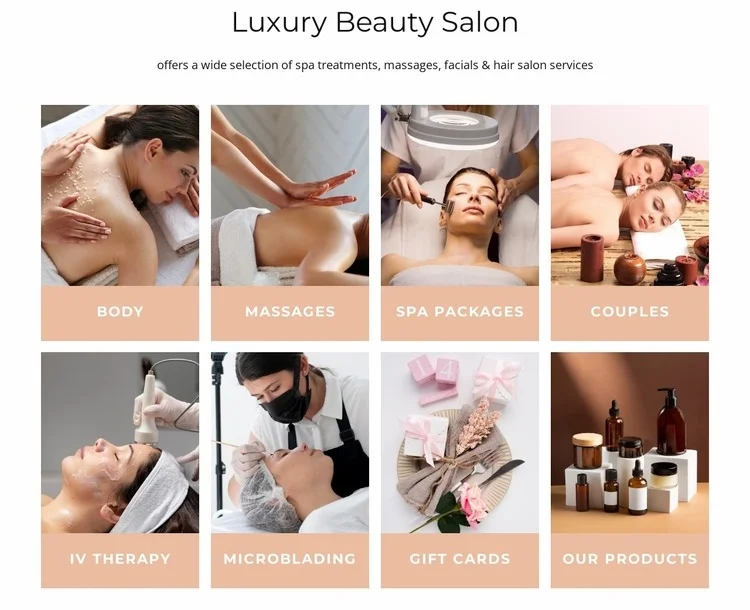
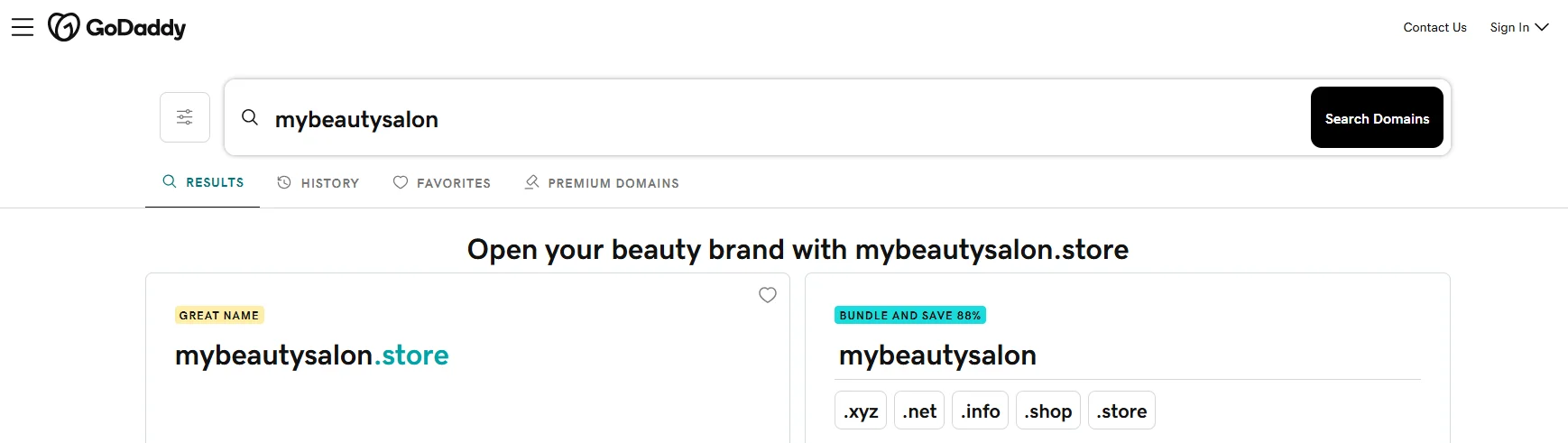
Your domain name is the address people use to reach your website. Keep it short, clear and easy to spell. The salon name is often the most practical choice.
Try to use a familiar extension such as .com. Avoid unnecessary numbers, symbols or unusual spellings that clients may forget.
Hosting stores your website files and makes the site available online. Choose a hosting plan that provides:
Reliable uptime
SSL support
Regular backups
Adequate storage
Fast server performance
Security tools
Technical support
Salon websites often include many images, booking tools and third party integrations. Confirm that the hosting plan can support these elements without making the website slow.
Server location can also affect loading time. A server close to the main customer area may deliver pages faster. The hosting provider should also make it easy to increase storage or resources as website traffic grows.
4. Select the Right Platform or Content Management System
CMS selection is an important part of beauty salon website development. The platform should support the features you need while allowing the salon team to update content easily.
WordPress is a common Content Management System for salon websites. It supports custom page layouts, service pages, blogs, contact forms, booking systems and local SEO tools. The salon owner can update prices, staff details and images through an administration panel.
Hosted website builders may suit small salons with simple requirements. They offer ready made design tools and basic integrations. However, customization may become limited when the salon needs advanced appointment rules or connections with other software.
Custom beauty salon website development may be suitable when the business needs:
Several salon locations
Complex staff scheduling
Custom customer accounts
Membership management
Package or gift card systems
Special consultation forms
Connections with existing salon software
Custom payment and deposit rules
Before choosing a platform, check whether it supports responsive web design, website security, appointment scheduling and future updates. The right CMS should meet current needs without blocking future development.
5. Create a Clear Beauty Salon Website Structure
A visitor should be able to find key information in a few clicks. Start by creating a website sitemap that lists the main pages and shows how they connect.
A practical beauty salon website architecture may include:
Home: Introduces the salon, services and booking action
About: Explains the salon story and approach
Services: Organizes treatments into clear categories
Team: Introduces hairstylists, makeup artists and beauty therapists
Portfolio: Shows examples of completed work
Reviews: Shares client experiences
Blog: Provides beauty advice and service information
Contact: Displays the address, hours, map and inquiry form
Book Now: Connects visitors to appointment scheduling
Locations: Provides details for each salon branch
The page hierarchy should reflect how clients look for information. For example:
Home → Hair Services → Hair Coloring → Select a Stylist → Book an Appointment
Internal pages should support this journey. A hair coloring page can link to related portfolio images, suitable hairstylist profiles, preparation advice and the correct booking option.
Do not create pages without a clear purpose. Every page should answer a client question or help the visitor complete an important action.
6. Develop the Beauty Salon Homepage
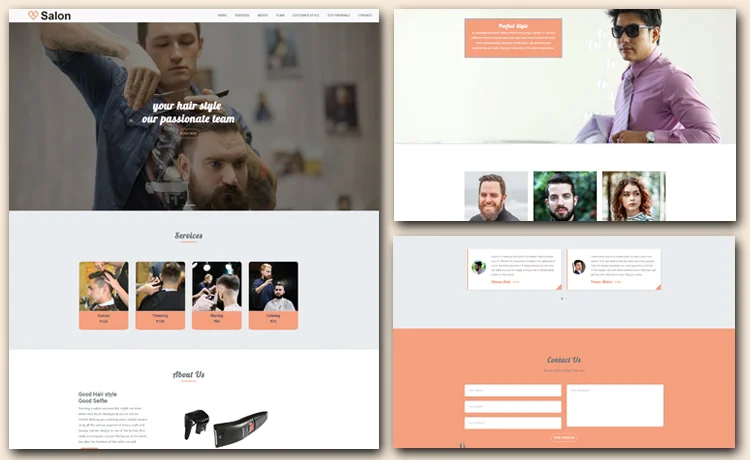
The homepage should tell visitors what the salon offers, where it operates and how they can book. This information should appear without requiring people to search through the website.
The opening section can include:
Salon name
Main service category
Location or service area
Short value statement
Main salon image
Appointment booking button
Further down the page, introduce popular treatments, service categories, team members, client reviews and recent portfolio images. You can also add opening hours and a map near the bottom.
Beauty salon homepage design should follow a clear visual order. Place the most important information first. Less urgent content can appear further down the page.
During front end development, make sure buttons, headings, images and content blocks display consistently. Avoid placing too many sliders, videos, popups or animations at the top. These elements can distract visitors and affect website performance.
A homepage should guide users toward useful pages. It does not need to contain every detail about the salon.
7. Build Simple Salon Website Navigation
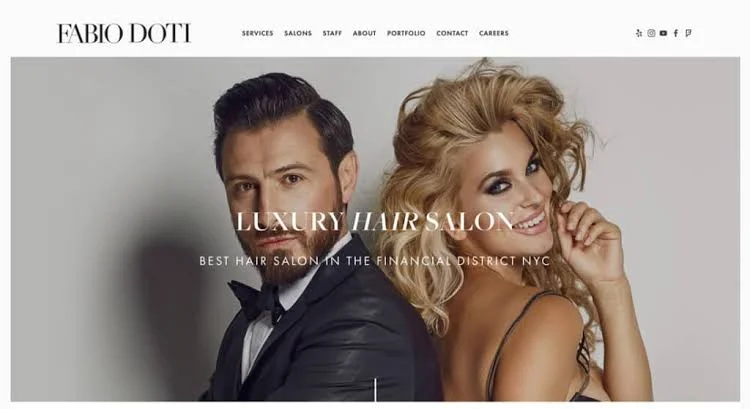
Salon website navigation should help visitors move between services, team profiles, contact information and booking options.
Keep the main menu short. Use familiar page labels such as:
Home
About
Services
Team
Gallery
Contact
Book Now
If the salon offers many treatments, use a simple dropdown menu under Services. Group treatments by category instead of listing every option in the main menu.
The booking button should remain easy to find. Developers can give it a different color or position it at the end of the navigation bar.
On mobile devices, the navigation should open through a clear menu button. Test whether the menu closes correctly after someone selects a page. Users should not need to tap several times to reach basic information.
Website navigation should also include internal links within the content. A service page can connect visitors with related team members, prices, results and booking options.
8. Create a Consistent Beauty Salon Website Design
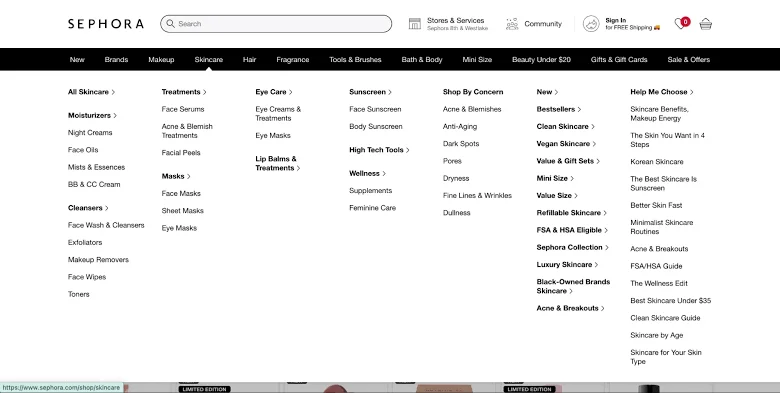
Your website should feel like an online version of your salon. Use the same logo, colors, photography style and tone across all pages.
Choose two or three main colors. Make sure text is easy to read against every background. Decorative fonts may work for short headings, but simple fonts are better for prices, treatment details and longer paragraphs.
UI design controls the appearance of buttons, forms, menus and content blocks. These elements should look consistent and behave in the same way throughout the website.
UX design focuses on how easily people can complete tasks. A good salon website user experience allows visitors to find a service, review the price and book an appointment without unnecessary steps.
Keep enough space between sections. Avoid filling each page with decorative features. Clear design should make information easier to understand.
Use consistent button labels such as:
Book an Appointment
View Hair Services
Meet Our Team
See Treatment Prices
Contact the Salon
Specific labels help users understand what will happen after they click.
9. Develop Detailed Salon Service Pages
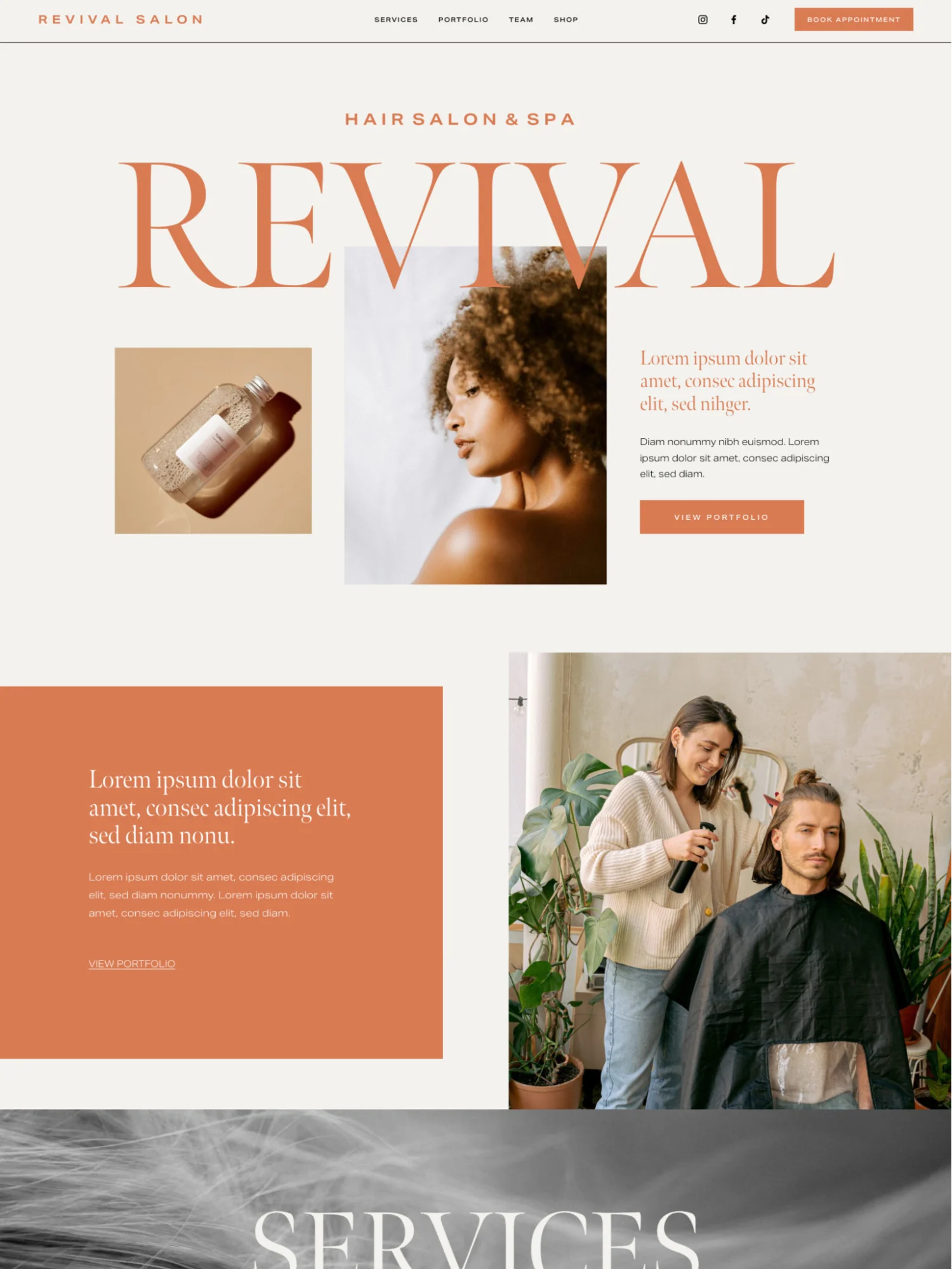
Salon website service pages should explain what clients can book. Avoid placing every treatment inside one long block of text.
Create main categories based on the services your salon provides. These may include:
Haircuts
Hair styling
Hair coloring
Manicures
Pedicures
Facials
Skincare
Makeup
Waxing
Eyelash extensions
Eyebrow services
Bridal makeup
Spa treatments
Each important service can have its own page when enough information is available. This approach gives clients clear details and helps search engines understand the website content.
A service page should include:
Service name
Short description
What the treatment includes
Starting price or price range
Expected appointment length
Preparation instructions
Aftercare advice
Suitable team members
Relevant portfolio images
Booking button
When developing the service section, store service details in the CMS or a structured service database. This makes it easier to update prices, descriptions and appointment lengths.
The same service information may appear on the service page, price menu and booking system. A structured setup helps keep these details consistent.
10. Add a Clear Salon Service Menu and Pricing
Clients often compare treatments and prices before booking. The website should make this process simple.
Organize the salon service menu into clear groups. Do not mix unrelated treatments inside one list. A visitor interested in a manicure should not need to search through hair and skincare services.
When deciding how to display salon prices on a website, show:
Fixed prices
Starting prices
Price ranges
Package prices
Membership rates
Add-on costs
If a price can change, explain why. Hair length, treatment complexity, product use and stylist experience may affect the final cost.
The online service menu should be easy to update through the CMS. Avoid uploading the entire price list as an image or PDF only. Text based prices are easier to read on phones and simpler to update.
Connect each service or category to the correct booking option. Clients should not have to search through the complete booking system after selecting a treatment.
11. Develop an Online Appointment Booking System
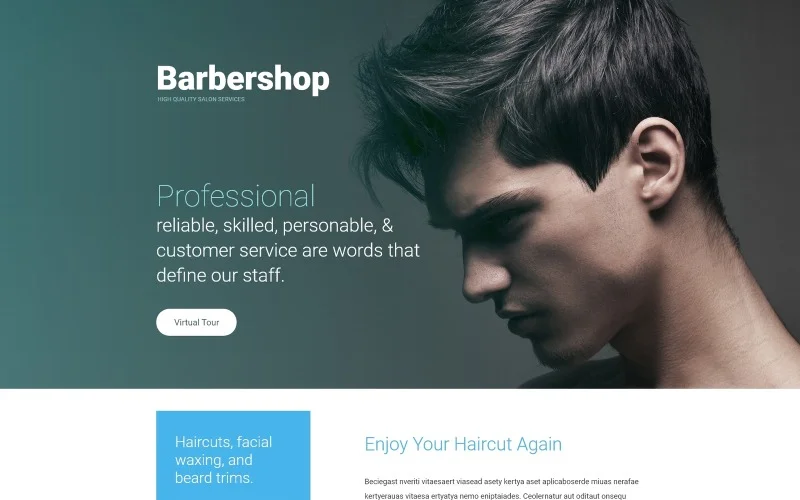
Online booking for beauty salons allows clients to schedule appointments when it suits them. It also helps the salon team manage staff availability and reduce routine phone calls.
A salon appointment booking website should allow visitors to choose:
Service
Staff member
Date
Available time
Service options
Contact details
Deposit or payment method
To add online booking to a salon website, start by choosing a booking tool that works with the selected platform. A WordPress website may use a booking plugin or connect to an external salon scheduling system.
During booking integration, configure:
Salon opening hours
Staff working hours
Service durations
Breaks between appointments
Days off
Booking limits
Cancellation rules
Deposit requirements
Confirmation messages
The back end functionality should update available times when a booking is made. It must prevent two people from reserving the same staff member at the same time.
Useful beauty salon website functionality may include:
Instant booking confirmation
Email or text reminders
Appointment rescheduling
Cancellation options
Staff calendar management
Deposit collection
Full online payment
Repeat appointment booking
Keep the appointment form focused. Ask only for details required to complete the booking. Long forms create unnecessary work for clients.
Test the full process before launch. Make a sample appointment, reschedule it and cancel it. Check every email, text message and calendar update generated by the system.
12. Create Contact Forms for Customer Inquiries
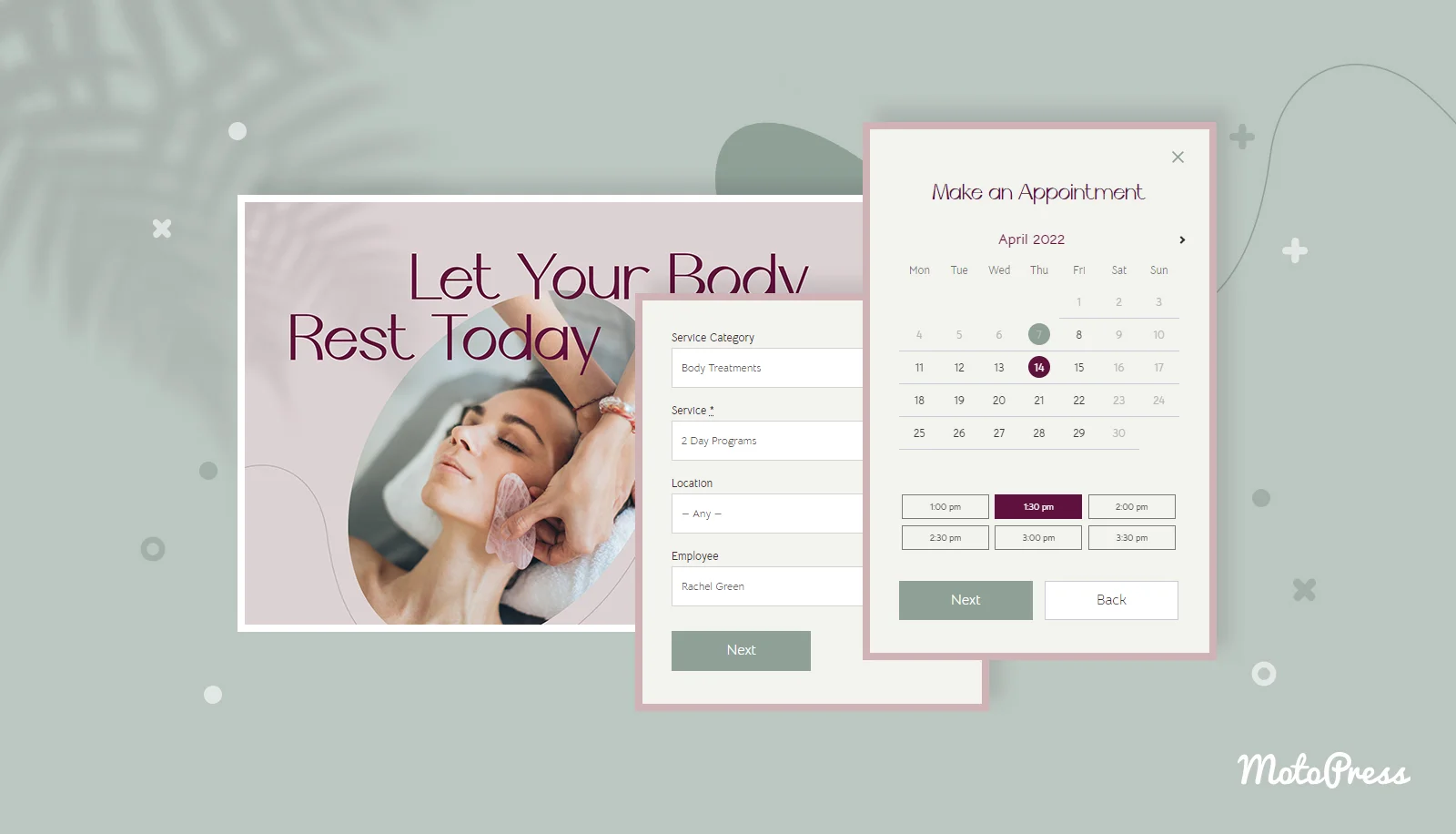
Not every visitor will be ready to book a standard appointment. Some clients may need information about bridal packages, group bookings, skin concerns or special requirements.
A contact form provides a clear way to submit these customer inquiries.
A basic form may request:
Name
Email address
Phone number
Service of interest
Preferred contact method
Message
Develop separate appointment forms only when the service requires additional details. For example, a bridal makeup inquiry may request the wedding date, location and number of people.
Connect form submissions to a monitored salon email address or customer management system. Display a confirmation message after submission so clients know their inquiry was received.
Use form validation to identify missing or incorrect information. Add spam protection that does not create an unnecessary barrier for genuine users.
Test each contact form on desktop and mobile devices. Confirm that the salon receives the message and that replies go to the correct client address.
13. Develop Staff Profiles and Booking Connections
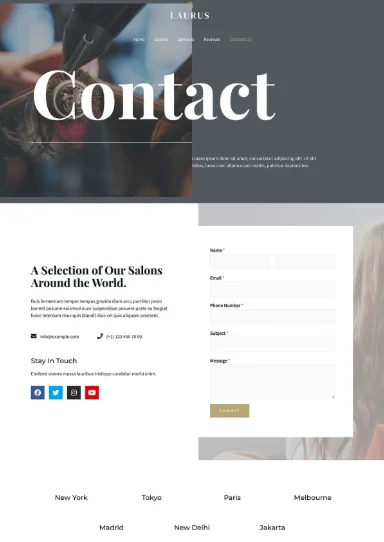
New clients often want to know who will provide their treatment. Staff profiles can make the salon feel more personal and help clients choose the right professional.
Create a page for each hairstylist, makeup artist, esthetician, cosmetologist or beauty therapist when appropriate.
A staff profile may include:
Professional photograph
Role
Experience
Qualifications
Specialties
Available services
Working days
Portfolio examples
Booking button
Connect each profile with the appointment scheduling system. When a client selects a team member, the booking page should display that person’s available services and times.
Store profiles in the Content Management System so the salon owner can update them without changing website code. Remove or revise profiles promptly when staffing changes.
Keep the writing brief and natural. The purpose is to help clients feel comfortable before their first visit.
14. Create a Salon Portfolio and Image Gallery
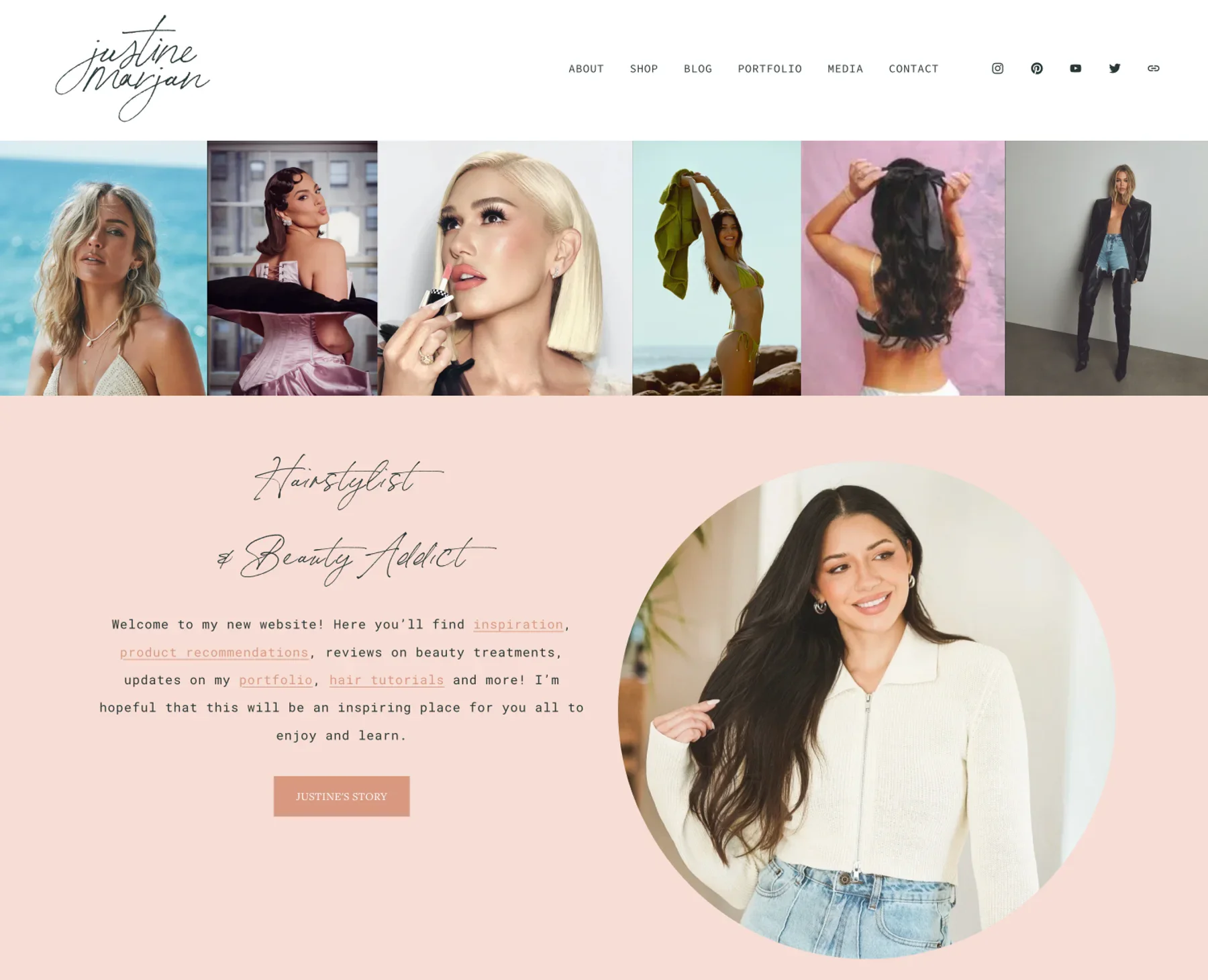
A beauty salon website needs strong visual content. Real images help potential clients understand the salon’s style, environment and quality of work.
When planning how to create a salon portfolio, organize images by treatment type. Categories may include:
Hair transformations
Hair coloring
Nail designs
Makeup
Bridal looks
Eyelash extensions
Eyebrow services
Skincare results
Salon interior
Develop the image gallery so visitors can select a category and open larger versions of each image. Avoid placing every photograph on one page because this can make the gallery slow and difficult to browse.
Before and after images can show treatment results. Always get permission before publishing a client’s photograph.
Resize and compress images before uploading them. Use descriptive filenames and useful alt text. These steps improve accessibility, website performance and image search context.
The gallery should also work properly on touch screens. Users must be able to open and close images without losing their place on the page.
15. Add Reviews and Client Results
Reviews can help potential clients feel more confident about booking. Place selected testimonials on the homepage and relevant service pages.
For example, a review about hair coloring can appear on the hair color service page. A bridal client’s feedback may fit better on the bridal makeup page.
Use genuine feedback from people who agreed to have their comments published. A useful review may mention:
The service received
Staff communication
Salon cleanliness
Appointment experience
Final result
Develop the review section so new testimonials can be added through the CMS. If reviews come from another platform, use a reliable integration or add selected comments manually with permission.
Avoid loading a large external review feed on every page. It may affect speed and make the website dependent on another service.
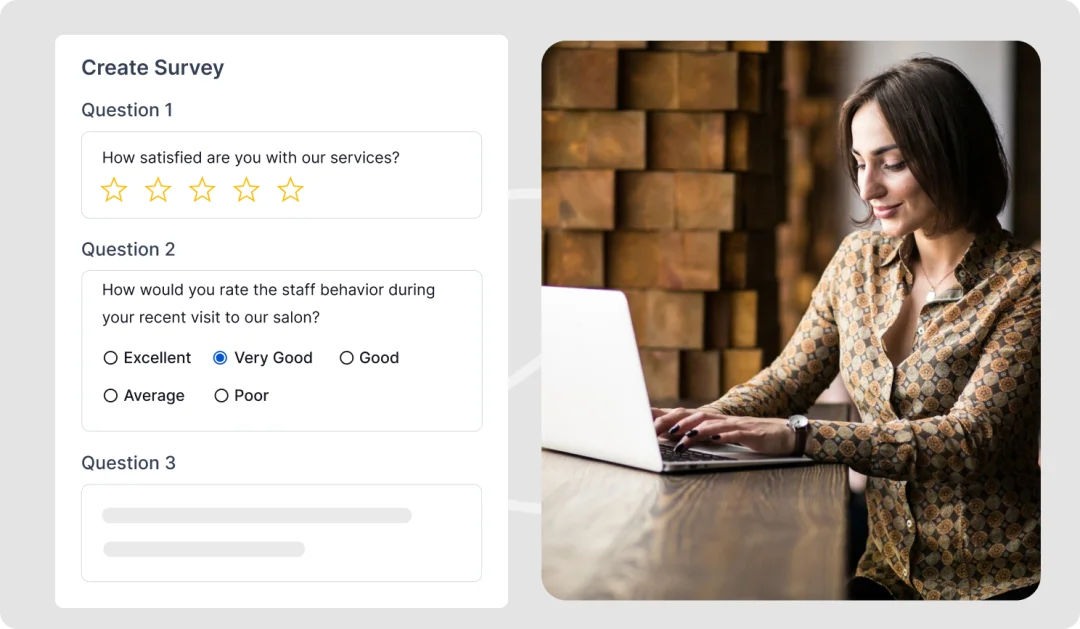
16. Integrate Google Maps and Social Media
The contact page should make the salon easy to find. Include the complete address, opening hours, parking details and public transport information when useful.
Google Maps integration can show the salon location directly on the page. Confirm that the marker identifies the correct building or entrance. A separate directions link should open the visitor’s map application on mobile devices.
Social media integration can connect the website with platforms where the salon shares recent work and announcements. Add links to active accounts in the header, footer or contact section.
Avoid adding several live social feeds to one page. These feeds may slow down the site and can stop working when a platform changes its connection rules.
Your website portfolio should remain available even when a social media platform is unavailable. Social accounts should support the website rather than replace its main content.
17. Build the Salon Website for Mobile Users
Many potential clients will visit the website from a phone. Some will compare services at home, while others may check their appointment time or location while travelling.
Responsive web design allows the layout to adjust to different screen sizes. Mobile responsiveness should be planned during development instead of added after the desktop version is complete.
Check these elements on mobile devices:
Navigation menus
Booking buttons
Contact forms
Appointment forms
Service menus
Price lists
Staff profiles
Image galleries
Maps
Payment pages
Text should remain readable without zooming. Buttons need enough space for touch input. Forms should use suitable mobile fields for phone numbers, email addresses and dates.
Make phone numbers clickable so visitors can call the salon. Map links should open directions. Keep the booking button within easy reach on important pages.
Test the website in portrait and landscape views. Do not assume that every mobile device will display the layout in the same way.
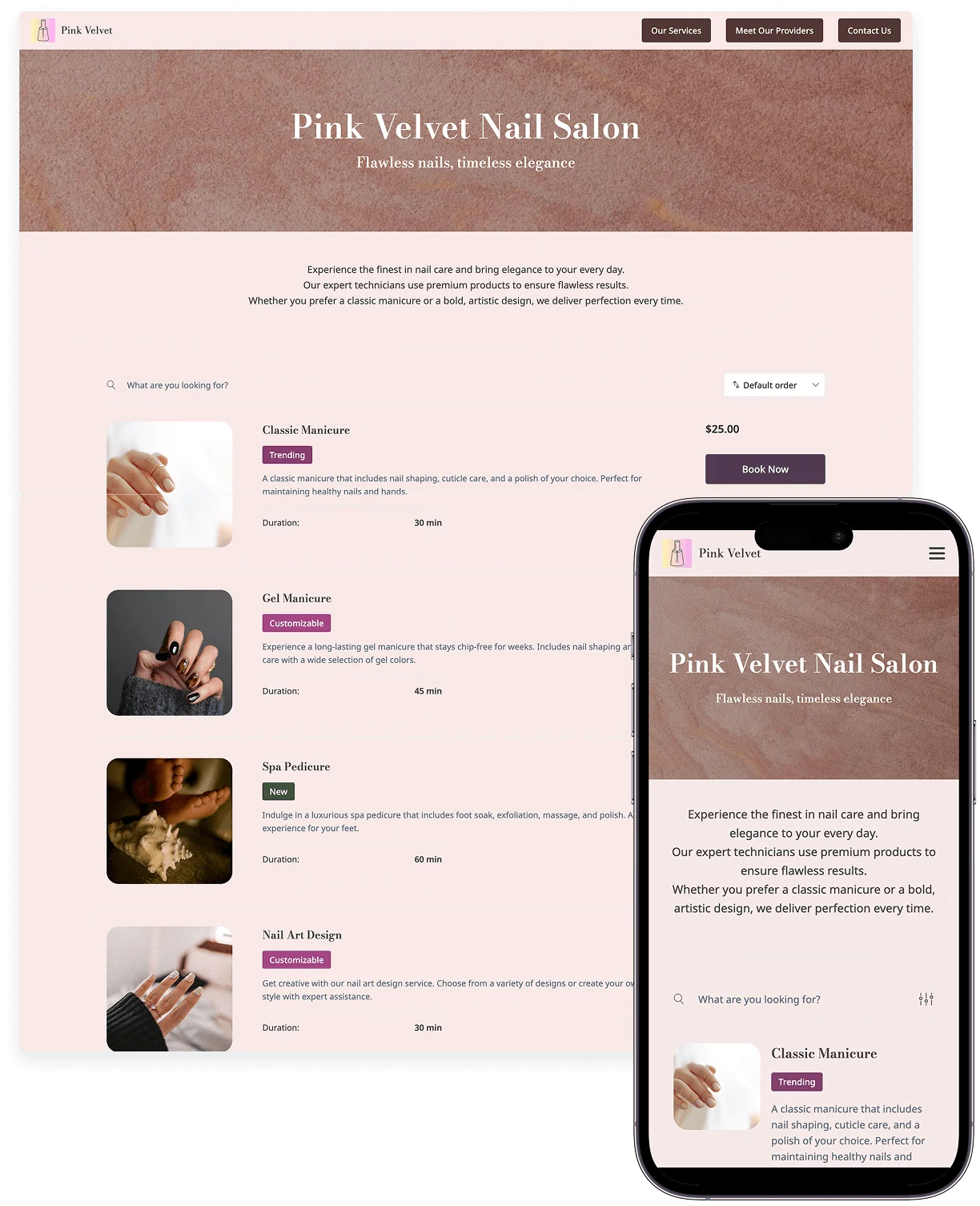
18. Improve Salon Website UX, UI and Navigation
Beauty salon website design should make each action feel simple. Visitors should not need to guess where to find prices, services or appointments.
Use a clear page hierarchy. Place related content together and give each section a useful heading.
Website navigation should remain consistent across all pages. If the booking button appears in the upper right corner on the homepage, keep it in the same position on internal pages when possible.
Forms need clear labels and helpful error messages. If a client misses a required field, the message should explain exactly what needs to be corrected.
UI design elements such as buttons, menus and input fields should have a consistent appearance. UX design should support a short journey from service discovery to appointment confirmation.
Review the site from a new visitor’s point of view:
Can they understand what the salon offers?
Can they find prices?
Can they select a team member?
Can they book from any service page?
Can they contact the salon easily?
Can they complete the same actions on a phone?
Any unclear step should be simplified.
19. Improve Website Speed and Performance
Salon websites often use many images and external tools. Booking systems, maps, videos, social feeds and tracking scripts can all affect loading speed.
Compress salon photographs before uploading them. Use the correct image dimensions for each part of the layout. A small service thumbnail does not need the same file size as a full screen portfolio image.
Performance optimization may also include:
Modern image formats
Browser caching
Reduced script files
Optimized fonts
Limited animations
Fast hosting
Removal of unused plugins
Careful loading of third party tools
Pay close attention to the homepage, service pages and booking process. These pages support important client actions and should load quickly.
Test performance after adding new website features. A plugin that seems useful may add unnecessary scripts to every page.
Website Performance should remain part of ongoing maintenance rather than a one time task completed before launch.
20. Make the Website Accessible
A beauty salon website should be usable by as many people as possible. Accessibility needs to be considered during website design and development.
Use readable text and sufficient color contrast. Give every form field a clear label. Add descriptive alternative text to images that provide useful information.
Headings should follow a logical order. Buttons and links need clear labels. Visitors should be able to use the navigation and forms with a keyboard.
Do not rely only on color to communicate an error or selected option. For example, an appointment form should show written error instructions rather than changing the field border to red only.
Videos should include captions when they contain spoken information. Important service details should appear as text rather than being placed only inside promotional graphics.
Accessibility improvements often make the website easier for every visitor to use.
21. Protect Client Information and Website Access
A salon website may collect names, phone numbers, email addresses, appointment details and payments. This information needs proper protection.
Install an SSL certificate so the site loads through HTTPS. Use secure contact and appointment forms. Keep WordPress or another selected CMS updated along with its themes and plugins.
Important website security steps include:
Strong administrator passwords
Limited staff permissions
Secure login protection
Form validation
Spam prevention
Software updates
Regular backups
Trusted booking tools
Reliable payment providers
Do not give every employee full administrator access. Assign permissions based on the tasks each person needs to complete.
A receptionist may need to manage bookings but may not need access to website settings. Limiting permissions reduces the chance of accidental changes.
Use a trusted payment provider so sensitive card information does not need to pass directly through the salon website. Add a privacy policy that explains how customer information is collected and used.
Test website backups as well. A backup is only useful when it can restore the site successfully.
22. Implement Basic SEO and Local SEO
Search engine optimization can help nearby customers find the salon. Local SEO implementation should begin during website development rather than after every page has been published.
Create clear page titles, headings and descriptions. Each main treatment category should have useful written information. Do not place all service details inside images.
Use the salon’s location naturally where it provides context. A page may focus on a specific service and city, but the wording should remain useful to clients.
Keep the salon name, address and phone number consistent across:
Website pages
Google Business Profile
Business directories
Social media profiles
Booking platforms
Add Google Maps and opening hours to the contact page. If the beauty business has several branches, create a separate location page for each one. Include unique address details, services, staff and directions.
Use simple page addresses. For example:
/services/hair-coloring/
provides more context than a page address filled with numbers.
Connect related content through internal links. A blog article about preparing for hair coloring can link to the hair coloring service page. The service page can link to suitable hairstylists and relevant portfolio images.
Create an XML website sitemap and submit it through search engine tools. Make sure important pages are not blocked from indexing.
23. Publish Useful Beauty Salon Website Content
Helpful content can answer questions that clients ask before and after treatments. It can also support service pages without turning the website into a sales message.
Possible topics include:
How to prepare for a hair coloring appointment
What to expect during a facial
How long manicure treatments last
Bridal makeup planning tips
Skincare after a salon facial
How to choose a suitable hairstylist
What to know before eyelash extensions
Waxing preparation and aftercare
Create a reusable blog layout in the CMS. Each article should include a clear title, readable headings, publication date and links to relevant services.
Beauty salon website content should provide a direct answer to the topic. Avoid adding the same booking message after every paragraph.
Review older articles regularly. Treatment details, recommended products and salon policies may change.
24. Test Everything Before Launch
A website can look finished while important functions still have problems. Complete detailed website testing before making the site public.
Test the complete visitor journey:
Home → Service Page → Staff Profile → Booking → Confirmation
Review these areas carefully:
Main navigation
Internal links
Booking buttons
Staff calendars
Appointment forms
Contact forms
Payment steps
Confirmation messages
Email and text reminders
Phone links
Google Maps
Image galleries
Service prices
Opening hours
Privacy policy
Page speed
Check cross browser compatibility in current versions of major browsers. Forms, menus and images may behave differently between browsers.
Test the site on phones, tablets, laptops and larger screens. Complete a booking on each type of device.
Try unsuccessful actions too. Enter an invalid email address, leave a required field empty and test a failed payment. Error messages should clearly explain what needs to be corrected.
Ask someone unfamiliar with the project to use the site without guidance. Find out whether they can:
Understand what the salon offers
Find a specific treatment
View the price
Choose a staff member
Locate the salon
Complete an appointment booking
Their experience may reveal problems that the development team missed.
25. Launch and Maintain the Salon Website
Before launch, create a full backup and complete a final review. Confirm that the domain, HTTPS connection, analytics, booking notifications and contact forms are working.
After publishing the website, check every important page again. Domain and server changes can sometimes affect links, forms or secure connections.
Website maintenance should include:
Updating the CMS
Updating themes and plugins
Monitoring security
Checking backups
Testing booking forms
Reviewing payment tools
Fixing broken links
Updating staff profiles
Changing prices and services
Adding recent portfolio work
Removing expired offers
Reviewing website performance
Use analytics to understand how visitors use the site. Track actions such as:
Appointment bookings
Contact form submissions
Booking button clicks
Service page visits
Phone number clicks
Direction requests
Traffic sources
If a service page receives many visits but few bookings, review the price information, content and booking path. Visitor behavior can help identify areas that need improvement.
26. Avoid Common Beauty Salon Website Development Mistakes
An attractive design cannot fix poor functionality. Focus first on issues that make it harder for clients to understand services or schedule appointments.
Common mistakes include:
Hiding salon prices
Using unclear service descriptions
Creating a confusing page structure
Adding too many menu options
Making the booking button difficult to find
Using long appointment forms
Showing outdated staff details
Ignoring mobile responsiveness
Uploading very large images
Installing unnecessary plugins
Using unreliable booking software
Forgetting confirmation messages
Launching without security and backups
Failing to test payments and appointments
A simple professional salon website that works reliably can provide more value than a complex site filled with unnecessary features.
27. Build Around the Client Booking Experience
A professional beauty salon website should make services easier to explore and appointments easier to book. Start with the needs of potential clients.
Show treatment information clearly. Display useful prices. Introduce the salon team and provide real examples of completed work. Keep navigation simple and connect every major service with the correct booking option.
The salon owner should also be able to manage services, prices, team profiles, bookings and customer inquiries without changing website code. A suitable CMS and properly developed back end functionality make this possible.
The steps to build a beauty salon website include planning the sitemap, selecting a platform, developing the pages, integrating booking tools, improving mobile usability and testing every important function. Security, performance optimization, local SEO and ongoing maintenance support the website after launch.
For beauty businesses that need more than a basic template, The Custom Websites can provide professional beauty salon website design and development based on specific services, staff schedules and client journeys.
A successful website does not need to feel complicated. It needs to help the right clients understand the salon and take the next step.