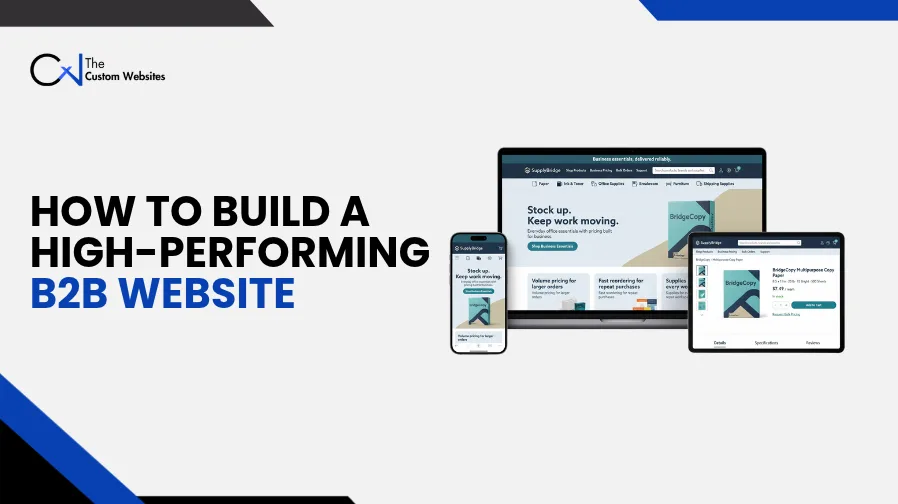
A successful B2B website helps buyers understand your services and take the next step. B2B Services Website Design and Development brings together the structure, content and tools needed to support that journey. Effective B2B website development also connects customer actions with the teams that handle inquiries, quotes and accounts.
For some businesses, success means more qualified leads. For others, it means easier ordering or fewer support requests. This guide explains how to plan, build and maintain a website around those goals.
What Makes a B2B Website Perform Well?
A high-performing B2B website makes business tasks easier. Buyers can find answers, compare options and contact the right person. Your team receives useful information and can act on it without unnecessary manual work.
Business buyers may involve several people in a purchase. A manager might research services while procurement teams review terms. Each visitor needs clear information and a useful next step.
Focus on four outcomes:
Clear information: Visitors understand what you offer and who you serve.
Simple actions: Buyers can request a quote, book a call or access their account.
Reliable operation: Forms, integrations and private areas work as expected.
Measurable results: You can connect website activity with business outcomes.
High-performing B2B website development starts with these needs before choosing designs or software.
1. Define Your B2B Website Requirements
Start by speaking with sales teams, customer support and the people who will manage the site. Review common buyer questions and current process gaps.
A consulting firm may need service pages and meeting bookings. A distributor may need searchable catalogs and quote requests. Enterprise clients might require account approvals or access to private documents.
Choose the Main Buyer Actions
Decide what visitors should complete on the website. Keep the initial scope focused.
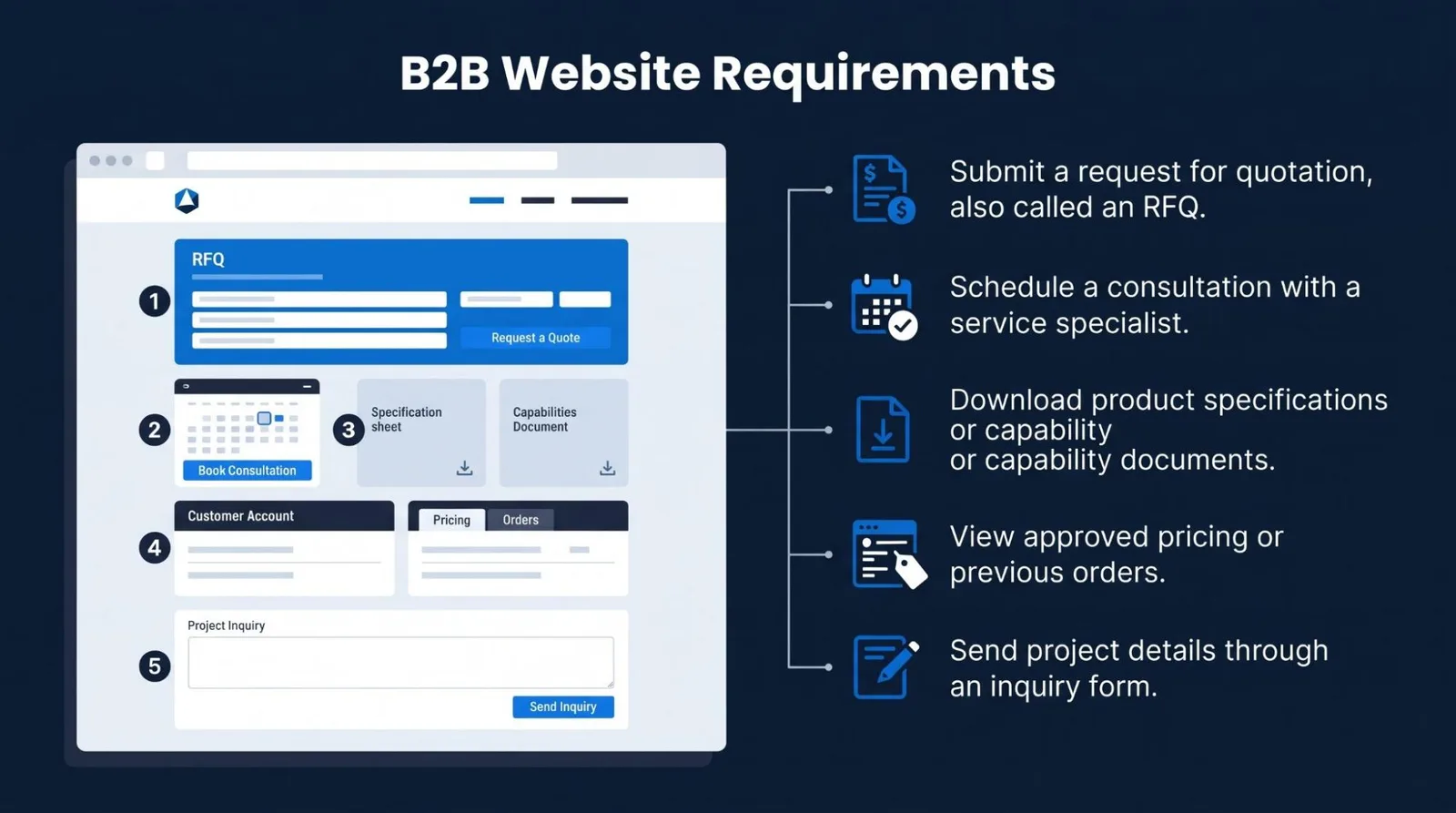
Common actions include:
Submit a request for quotation, also called an RFQ.
Schedule a consultation with a service specialist.
Download product specifications or capability documents.
View approved pricing or previous orders.
Send project details through an inquiry form.
Separate launch requirements from future additions. B2B customer portal development may be useful later, even if your first release only needs lead capture.
Set Clear Success Measures
Choose measures that reflect business value. These might include qualified inquiries, completed RFQs or meetings booked.
Record your current results when possible. Agree on what counts as a qualified lead before setting a target. Traffic alone cannot show whether visitors match your ideal customers.
Document your B2B website technical requirements too. Include expected traffic, data types, integrations, content ownership and support needs.
2. Plan Website Architecture and Technology
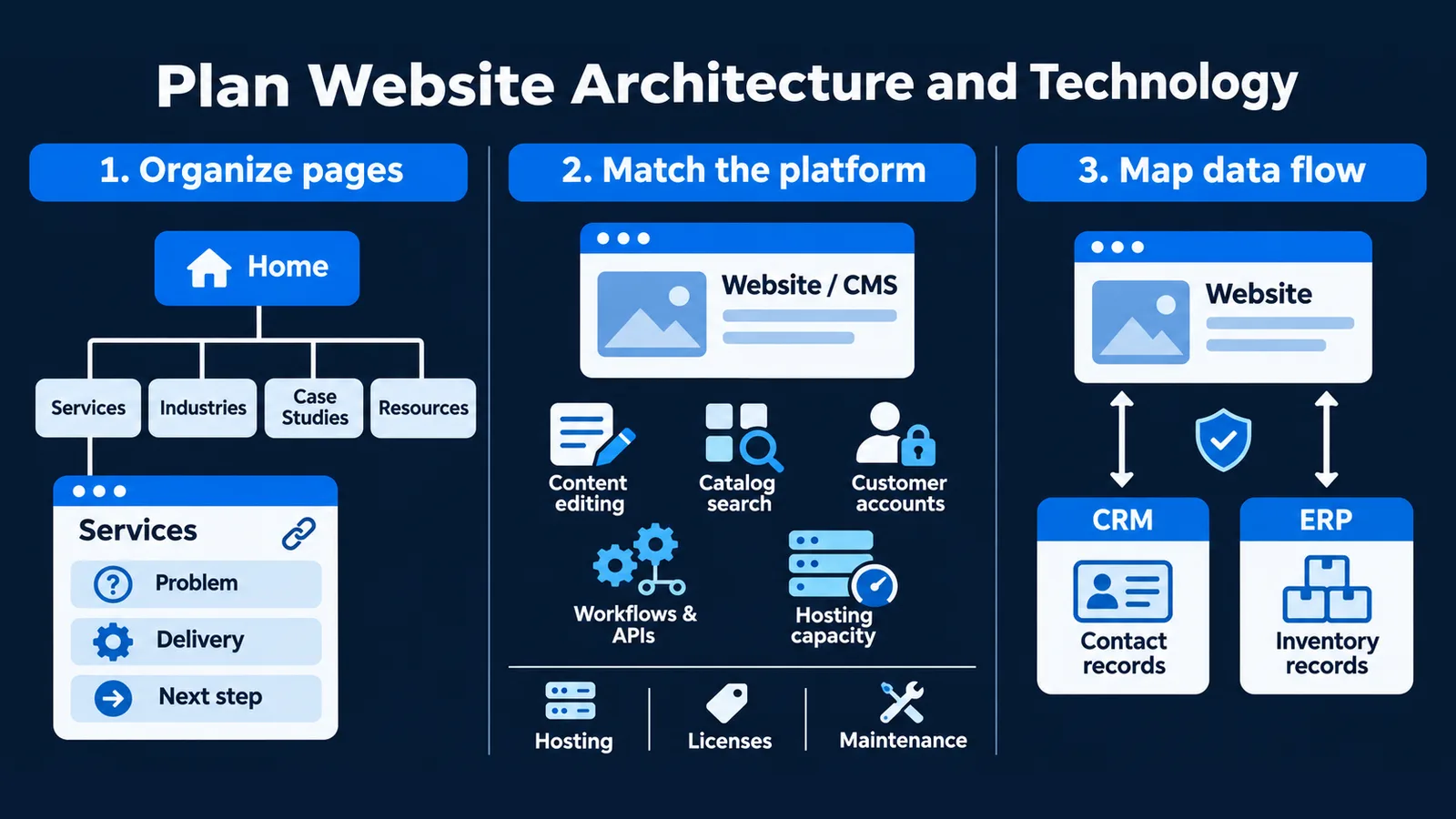
B2B website architecture covers page organization and the systems behind the site. Plan both before development begins.
Start with a sitemap. Group pages by what buyers need to find, such as services, industries, case studies and resources.
Give each important service a clear page. Explain the problem it solves, how delivery works and what the buyer should do next. Link related pages where they help visitors continue their research.
Choose a Suitable Development Platform
Your B2B website development platform should match your workflows and available resources.
A content management system, or CMS, lets staff update pages without editing code. A more custom application may suit complex quoting, account rules or internal processes.
Website need |
Platform capability to evaluate |
Frequent content updates |
Simple editing and publishing permissions |
Large product catalog |
Structured product data, search and filters |
Private customer area |
Account controls and secure document access |
Complex business workflows |
Flexible backend logic and API integration |
Growing traffic |
Hosting capacity and performance monitoring |
Review the full cost of ownership. Include hosting, software licenses, maintenance and future changes.
Website frameworks and cloud hosting infrastructure are tools for meeting requirements. Choose them after the business needs are clear.
Map How Data Will Move
List the systems that will exchange information. Decide which system owns each record.
For example, your CRM may own contact details while your ERP owns inventory. The website can display or submit information without becoming the main record for everything.
This plan gives custom website architecture a clear foundation.
3. Develop the Frontend Interface
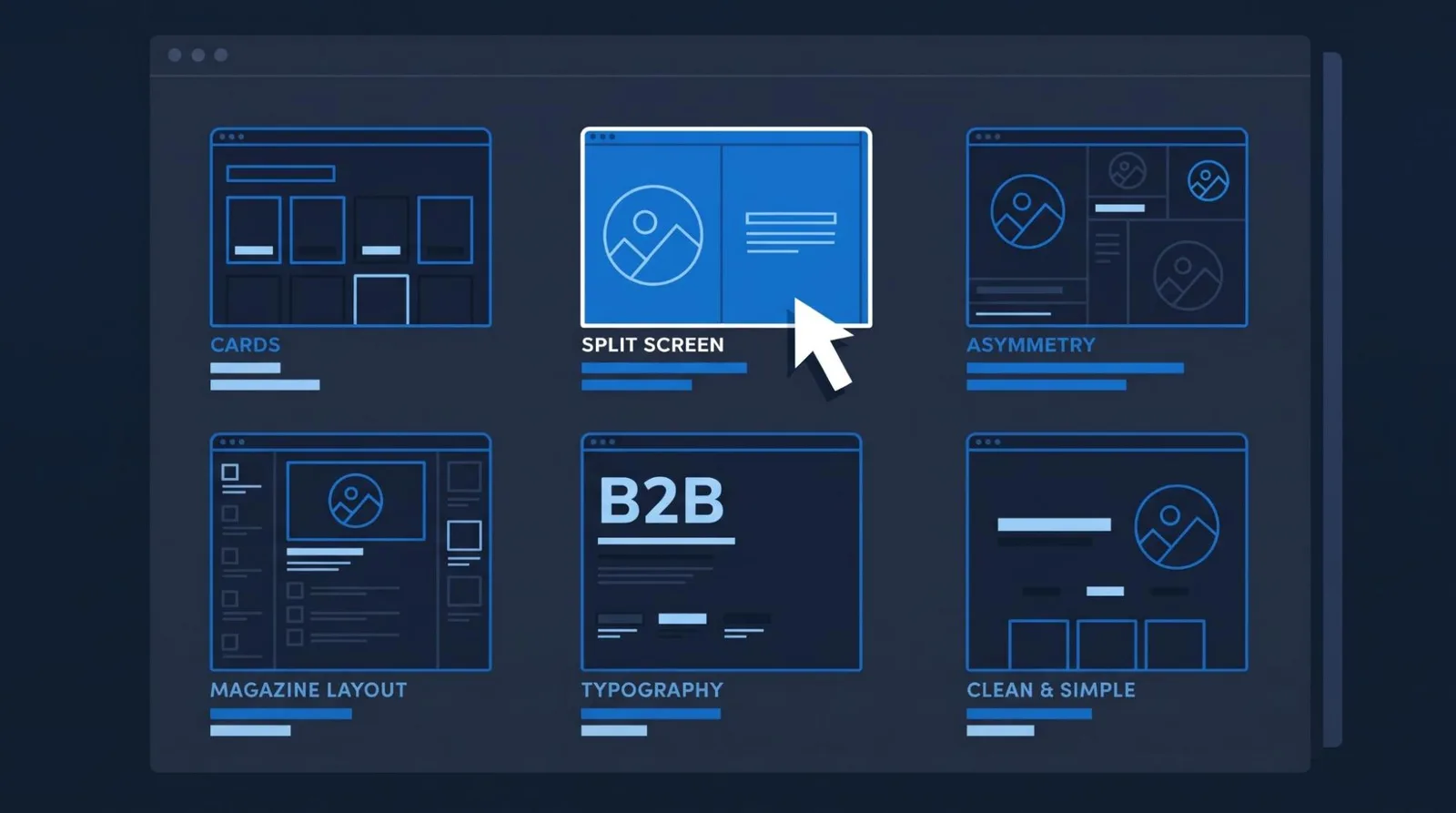
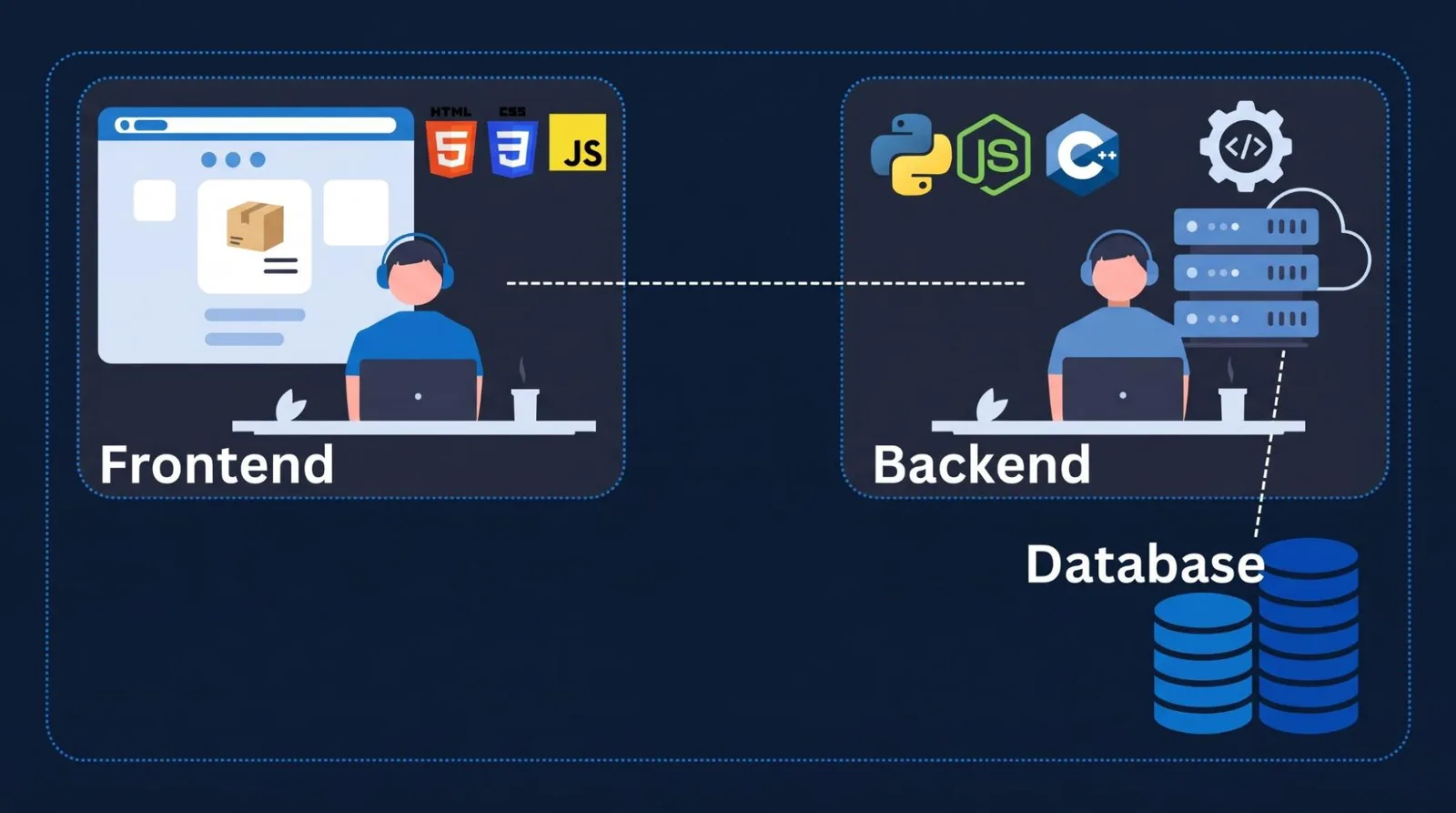
B2B website frontend development creates the pages and controls buyers use. It turns your content and design into a working interface.
Make the first screen answer three questions: What do you offer? Who is it for? What should the visitor do next?
Use specific button labels such as “Request a Quote” or “Book a Consultation.” Place them where readers have enough information to act.
Make Content Easy to Use
Use short sections, descriptive headings and clear navigation. Help buyers find service details, project examples and contact options without searching through unrelated content.
Product and service catalogs need consistent information. For technical products, this may include dimensions, specifications and downloadable documents.
Case studies should explain the challenge, work completed and results you can support. Avoid vague claims that give buyers little to assess.
Build for Mobile and Accessibility
Mobile-responsive development helps layouts adapt to different screens. Check menus, tables, forms and download links on real phones.
Make the interface usable with a keyboard. Add visible focus states, clear form labels and readable contrast. Explain errors beside the fields that need attention.
A buyer should be able to complete an inquiry without guessing what went wrong.
4. Build the Backend Functionality
B2B website backend development handles the work behind each action. It processes submissions, checks rules and stores information.
For an RFQ, the backend might validate product details, save the request and notify the correct representative. It should also handle failures without losing the inquiry.
Server-side programming must check submitted data even when the frontend already checks it. Browser controls alone do not enforce business rules.
Structure the Database Around Your Business
B2B website database development should reflect relationships between companies, users and transactions.
One corporate customer may have several locations and account users. A quote may contain multiple products and revision records. Plan these relationships before storing live data.
Database management also needs clear rules for backups, retention and access. Collect information you need and define who can change it.
Create Useful Automated Workflows
Start with repetitive tasks that have clear rules.
For example, route inquiries by service type or region. Send a confirmation after a successful submission. Assign follow-up work through your lead management system.
Define what happens when a step fails. An email outage should not erase a saved request.
Professional B2B website development includes these less visible details because they affect daily operations.
5. Integrate CRM, ERP and Business Tools
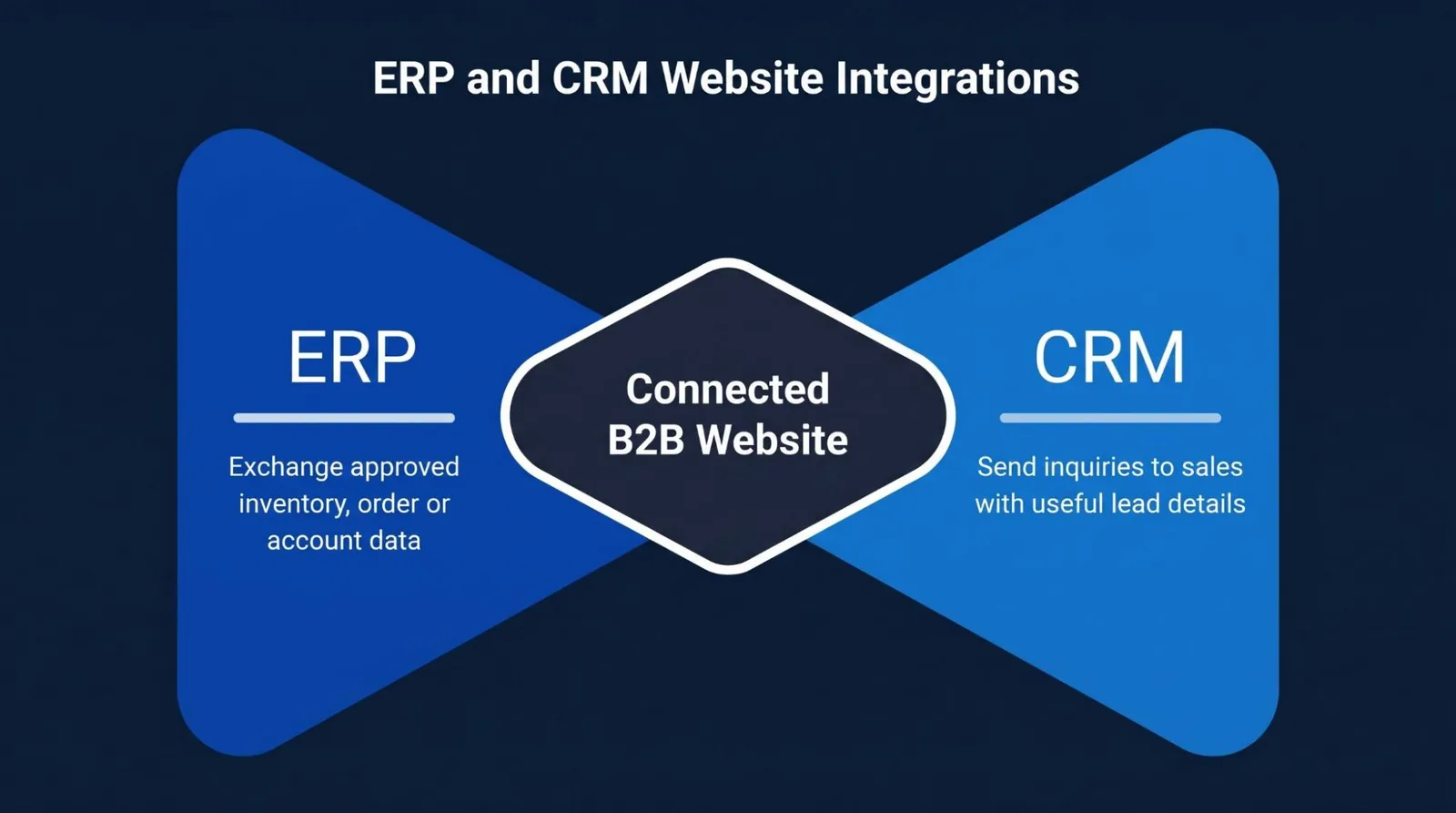
B2B website integration connects the site with tools your business already uses. It can reduce duplicate entry and keep teams working from consistent information.
Choose connections based on a specific workflow.
Integration |
Practical purpose |
CRM integration |
Send inquiries to sales with useful lead details |
ERP integration |
Exchange approved inventory, order or account data |
Scheduling software |
Let prospects book available meeting times |
Document tools |
Support proposal reviews or contract signing |
Payment gateway integration |
Accept payments where online transactions are needed |
API integration allows systems to exchange data through defined interfaces. Document the fields, permissions and update frequency for each connection.
Plan for Sync Errors
Third-party software integration needs more than a successful test submission.
Decide how the website handles unavailable services, duplicate records and rejected updates. Use controlled retries and alerts so staff can resolve problems.
For example, a saved inquiry can wait for the CRM connection to recover. The system should avoid creating a new lead every time it retries.
These checks make business-to-business website development more dependable.
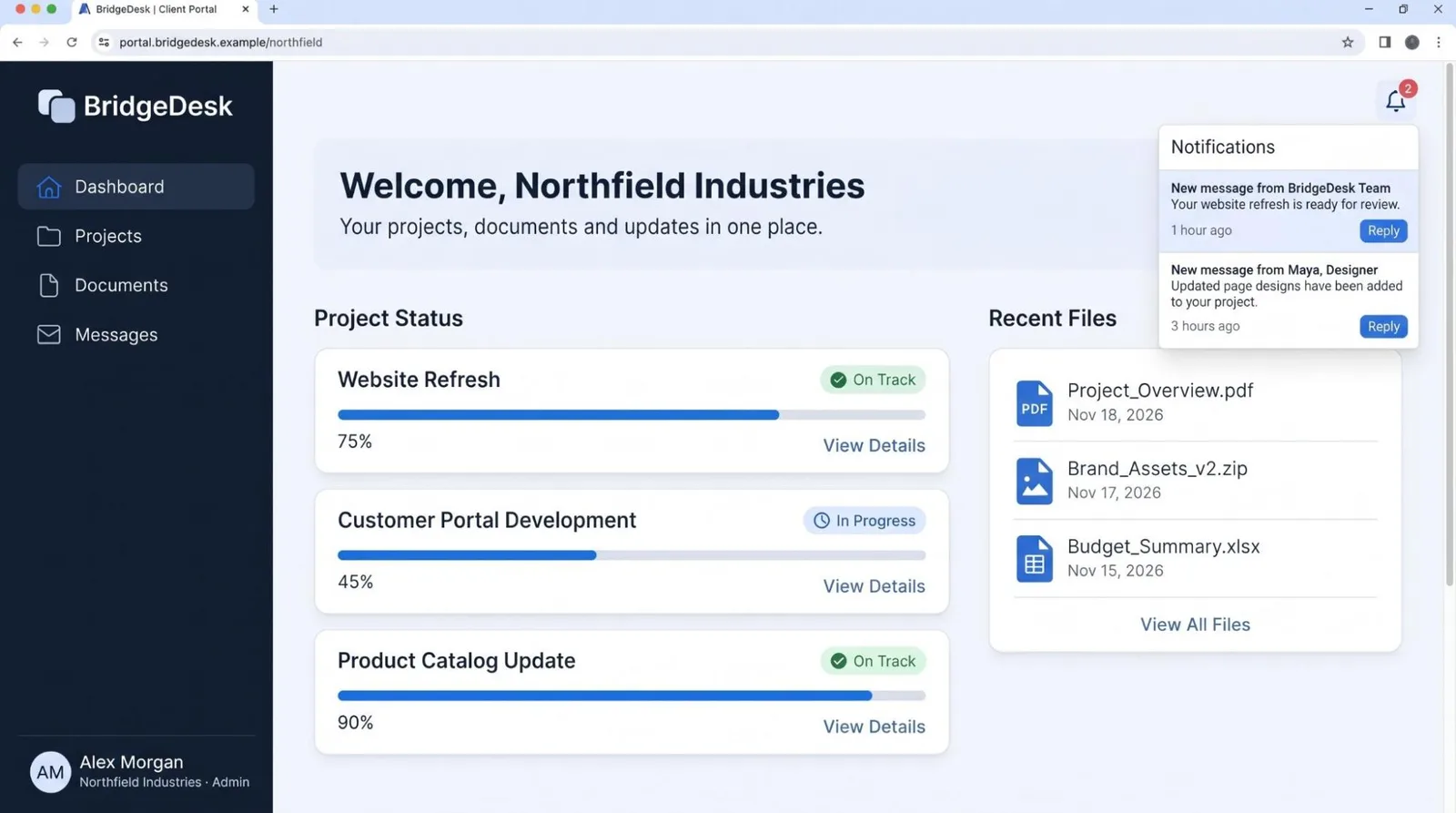
6. Implement Customer Accounts and Portals
Customer accounts are useful when buyers need ongoing access to private information. They should solve a clear customer task.
A portal might let wholesale clients review quotes or download invoices. A service company could share project files and progress updates.
Match Access to Each User
Customer account management should support the way each company works.
A buyer may submit requests. An approver may authorize them. A company administrator may invite colleagues.
Role-based access control provides a starting point for these permissions. Also check which company, record and action each user can access. One customer's employee must never gain access to another customer's files.
Keep Dashboards Focused
Customer dashboards should highlight useful actions and current information. Show pending approvals, recent quotes or relevant documents.
Provide account recovery and a clear support route. For businesses with approval workflows, define how new accounts become active.
A simple portal that customers use is more valuable than a crowded dashboard.
7. Configure Security and Access Controls
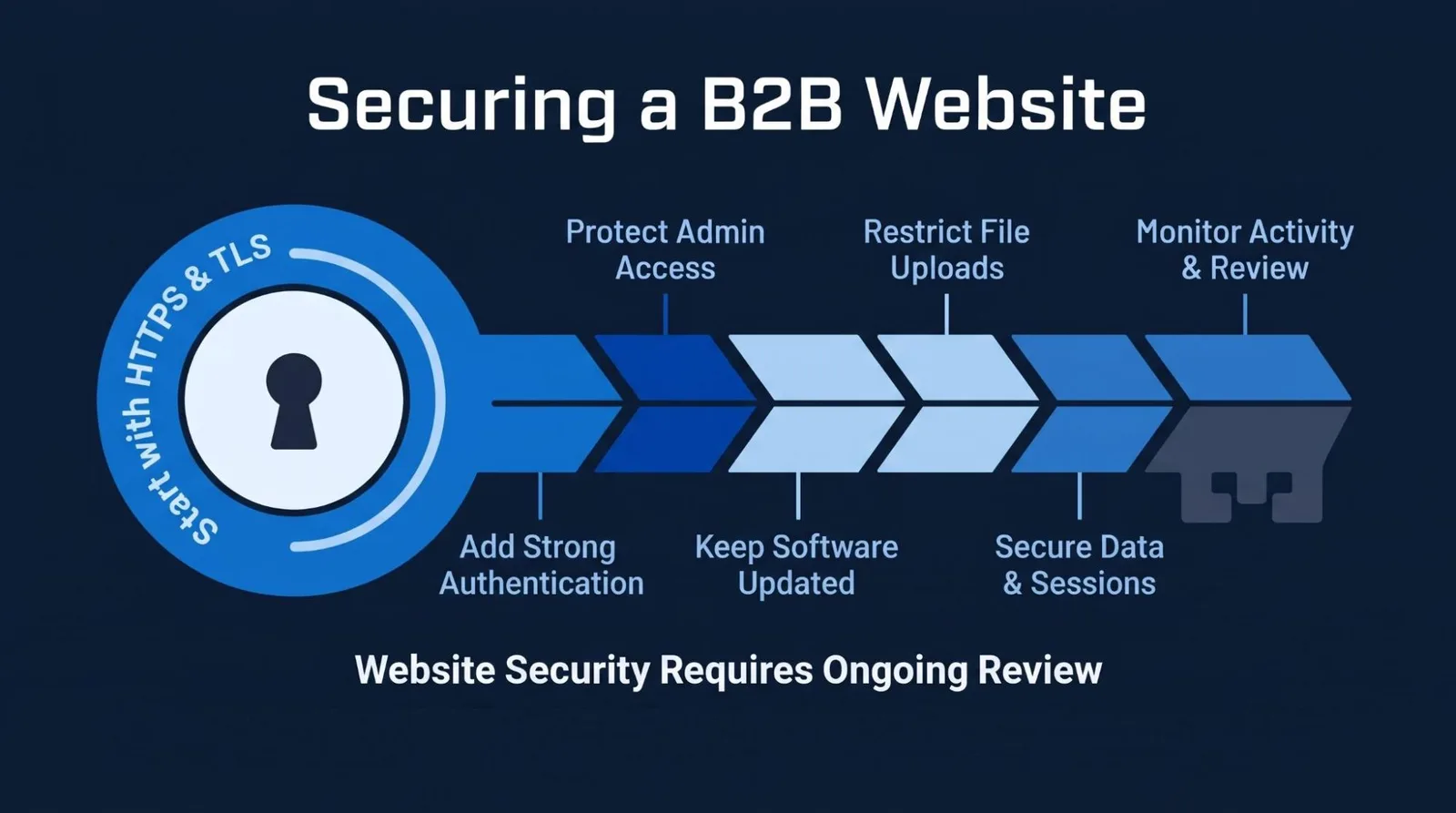
B2B website security implementation should protect public forms, private records and administrative tools.
Use HTTPS with correctly configured TLS certificates, often called SSL certificates. Keep software updated and protect sensitive credentials.
Other controls include:
Strong user authentication and secure account recovery.
Multifactor authentication for sensitive accounts.
Server checks on protected pages, files and API requests.
File upload restrictions and appropriate scanning.
Login rate limits and session expiration.
Activity logs that avoid exposing sensitive information.
OWASP recommends denying access by default and checking permissions on every request. Apply these rules on the server, including when users request a file directly. OWASP Authorization Cheat Sheet.
Website security protocols need ongoing review. Assign responsibility for updates, access removal and incident handling before launch.
8. Test Performance and Functionality
Test complete buyer journeys in a staging environment before publishing.
Submit an inquiry and confirm it reaches the correct team. Create an account, recover access and check private documents. Test invalid inputs and interrupted connections too.
Ask staff to review the workflows they will use. Their feedback can reveal missing fields or confusing handoffs.
Check Website Speed
B2B website performance optimization should cover public pages and private tools.
Compress large images, reduce unnecessary scripts and review slow database queries. Cache public content where appropriate. Keep private account information out of shared public caches.
Google's Core Web Vitals measure loading, responsiveness and visual stability. The recommended “good” thresholds are:
Metric |
Target |
Largest Contentful Paint |
2.5 seconds or less |
Interaction to Next Paint |
200 milliseconds or less |
Cumulative Layout Shift |
0.1 or less |
Evaluate these at the 75th percentile of real page visits, with mobile and desktop assessed separately. Use lab tests before launch and real visitor data as it becomes available. Google Web Vitals.
Test Capacity and Search Readiness
Check how the site handles expected busy periods. Large catalogs, searches and simultaneous account activity can reveal limits.
B2B website scalability depends on the application, database and hosting working together. Increase capacity based on measured bottlenecks.
Before launch, check page titles, internal links, redirects and the XML sitemap. Make sure public pages can be indexed and private content requires proper authorization.
9. Deploy and Maintain the Website
Use a launch checklist with named owners. Confirm backups, domain settings, certificates, integrations and analytics before switching traffic.
Prepare a rollback plan in case a critical problem appears. Test backup restoration rather than assuming a backup will work.
After deployment, repeat the main buyer journeys on the live site. Check notifications, data transfers and account access.
Set a Maintenance Schedule
Website maintenance should cover:
Software and dependency updates.
Backup checks and restore tests.
Failed form or integration alerts.
Performance and availability monitoring.
Account permission reviews.
Content and catalog updates.
Keep documentation for the people managing the website. Record how to publish content, handle failed syncs and contact support.
Improve Using Business Results
Review qualified leads, RFQ completion and portal use alongside technical performance.
If visitors start forms but rarely finish, inspect the fields and error messages. If inquiries reach the wrong team, review routing rules.
A B2B website development strategy should guide improvements after launch. Prioritize changes that remove a measurable obstacle.
Build Your Website Around Real Business Needs
A strong B2B website development process connects buyer needs with clear pages, reliable tools and manageable workflows. Each feature should help customers act or help your team serve them.
Planning a new website or replacing an outdated one? Share your goals, current systems and required features to start a discussion about your project.