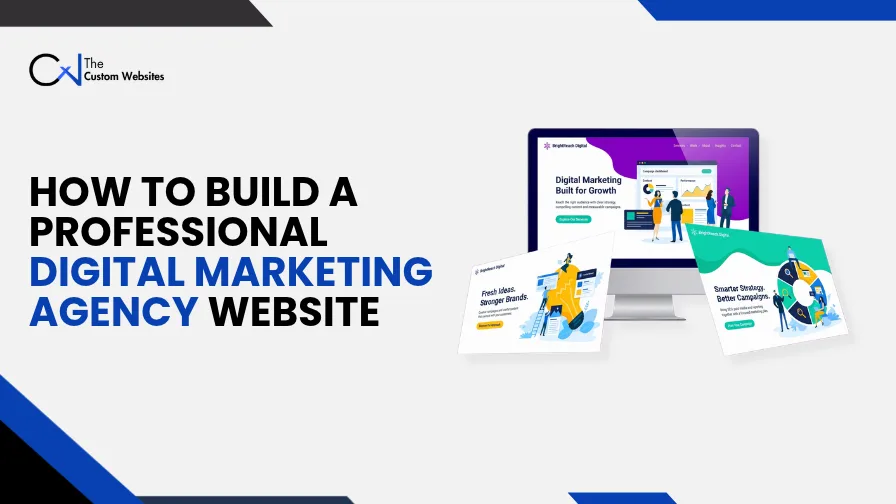
A professional agency website should explain your services. It should show your experience and help visitors contact you. Digital Marketing Website Design and Development brings these elements together. It combines clear layouts, useful content and reliable features.
Your website should also support your team. Staff need simple ways to publish work and manage inquiries. Prospects need clear information before starting a conversation.
An attractive homepage is only one part of the project. Your agency also needs detailed service pages and credible examples. Forms must deliver inquiries to the right person.
This guide covers planning, design, development and maintenance. It also explains integrations, lead generation and reporting.
What Makes a Digital Marketing Agency Website Professional?
A professional website makes your agency easy to understand. Visitors should quickly learn what you offer. They should also know who you serve.
Give prospects enough information to assess your business. Explain your services, experience and working process.
The website must also function properly. Forms should work. Pages should fit mobile screens. Your team should be able to update content easily.
Digital Marketing Website Design vs. Website Development
Website design covers appearance and navigation. It includes branding, typography and page layouts.
Website development makes those plans work. Developers build pages, configure content tools and connect business systems.
For example, a designer plans a consultation form. A developer adds validation and confirmation messages. They also connect the form to your sales process.
Plan both parts together. Each feature needs a clear interface and reliable processing.
Website Design |
Website Development |
Focuses on the website's appearance and visual presentation. |
Focuses on building and implementing website functionality. |
Covers branding, typography, colors and page layouts. |
Covers coding, page creation and content management system configuration. |
Plans navigation and how visitors interact with website elements. |
Builds navigation and makes website features work correctly. |
Creates the interface for forms, buttons and other elements. |
Adds form validation, confirmation messages and functional processing. |
Defines the visual layout of a consultation form. |
Connects the consultation form to CRM and sales systems. |
Improves the visual experience and usability of the website. |
Ensures features work reliably across the website. |
1. Define Your Agency Website Goals and Audience
Start with your website’s business purpose. Decide which actions matter most. Then identify who should take them.
An SEO agency may want organic search inquiries. A performance marketing agency may focus on advertising consultations. A creative agency may need a strong portfolio.
Choose one primary goal. Add supporting goals where needed.
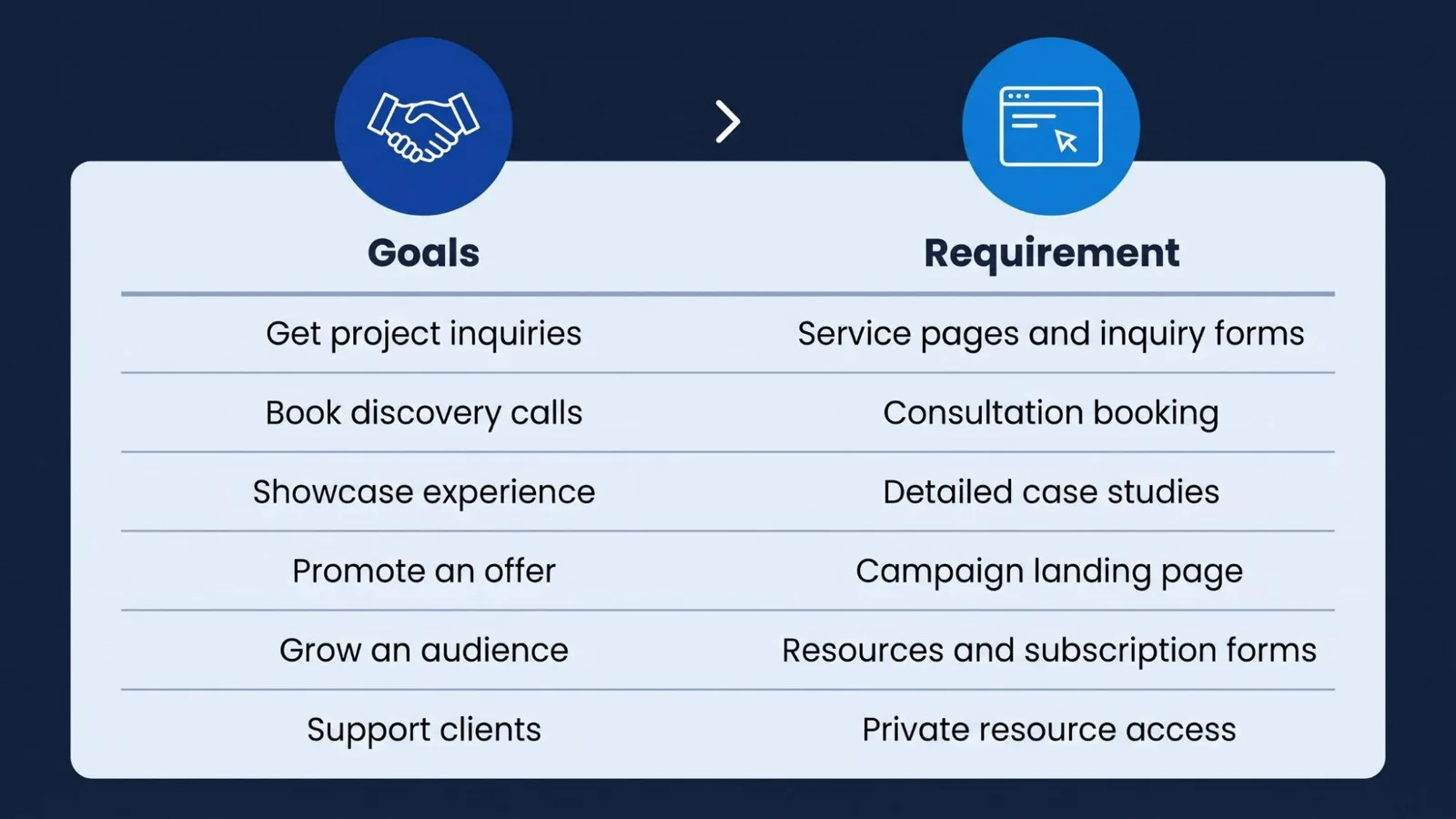
Business Goal |
Website Requirement |
Useful Outcome |
Receive project inquiries |
Service pages and inquiry forms |
Qualified leads |
Schedule discovery calls |
Consultation booking |
Confirmed meetings |
Show relevant experience |
Detailed case studies |
Informed sales conversations |
Promote an offer |
Campaign landing page |
Completed responses |
Build an audience |
Resources and subscription forms |
Relevant subscribers |
Support clients |
Private resource access |
Successful self-service tasks |
Define your ideal client. Consider their industry and company size. Identify their main challenge and buying process.
Use these details to guide your content. Choose examples that match their needs.
2. Research Competitor Websites and Content Gaps
Review other agency websites. This helps you understand what prospects may compare.
Study their navigation and service pages. Explore their portfolios and inquiry forms. Assess their approach without copying it.
Ask these questions:
Are the services clear? Check what each service includes. Note any missing details.
Does the evidence explain the work? Look for project scope and reporting dates. Results need context.
Is contacting the agency easy? Follow the inquiry process. Identify unclear instructions or unnecessary steps.
Which questions remain unanswered? Check deliverables, responsibilities and support. Address relevant gaps on your website.
Review questions from your sales calls too. Repeated concerns can reveal useful content topics.

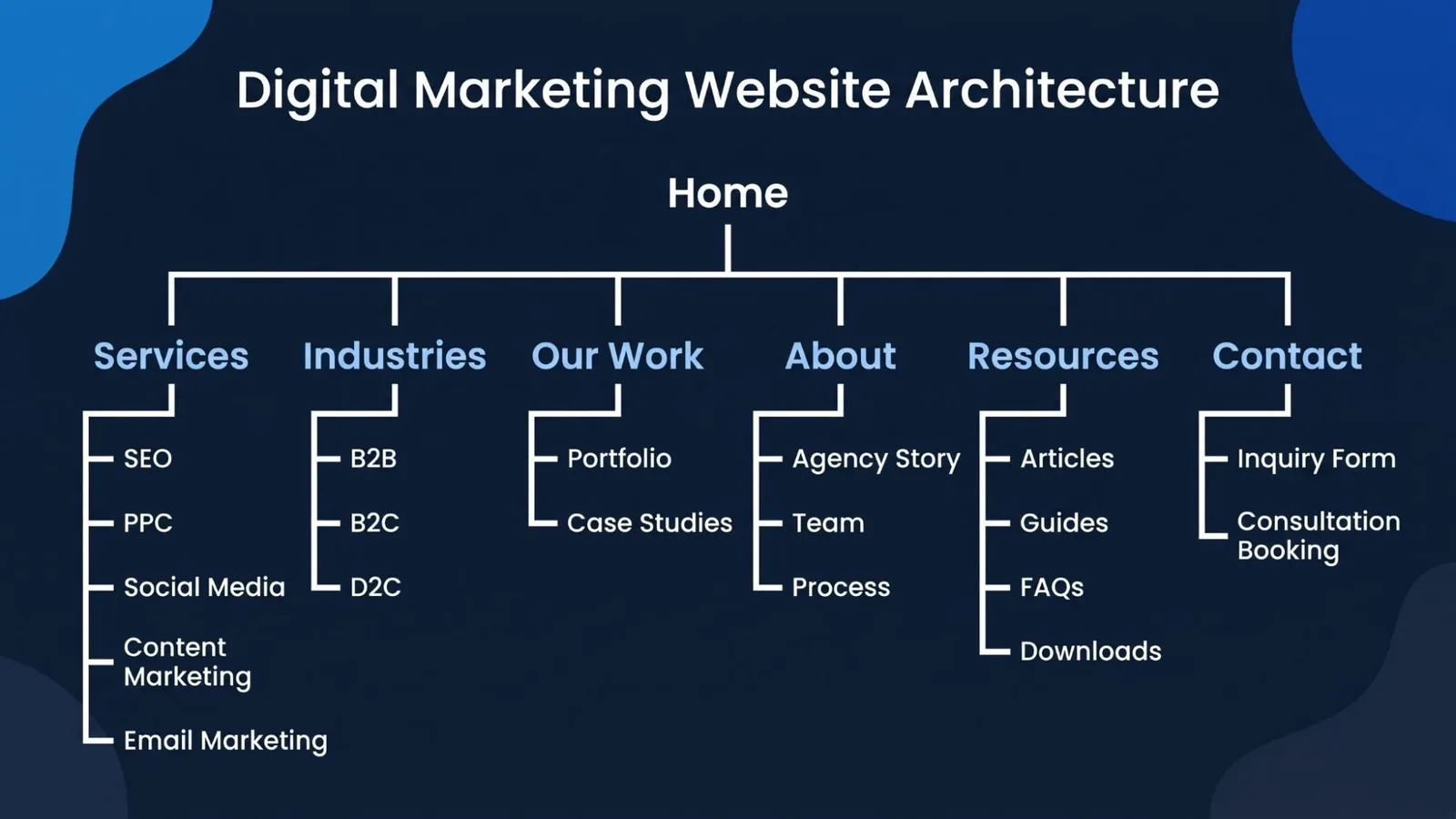
3. Plan Your Digital Marketing Website Architecture
Website architecture organizes your pages. It also defines how they connect.
Create a sitemap before designing layouts. Base it on your actual services.
Main Section |
Supporting Pages |
Services |
SEO, PPC, social media, content and email marketing |
Industries |
Relevant sectors your agency serves |
Our Work |
Portfolio and case studies |
About |
Agency story, team and process |
Resources |
Articles, guides, FAQs and downloads |
Contact |
Inquiry form and consultation booking |
Give each major service its own page. Connect it with relevant projects and articles.
Avoid separate pages for identical offers. Each page needs a distinct purpose. It also needs useful information.
4. Prepare Your Content Before Finalizing the Design
Content affects layouts and navigation. Prepare your main messages before approving detailed designs.
Define the audience for each page. Decide what it should explain. Choose a suitable next step.
Gather approved team biographies and project images. Collect testimonials and service details. Assign someone to approve client names and results.
Your content plan should include:
Page topic and audience.
Primary keyword and related terms.
Questions to answer.
Supporting images and evidence.
Relevant internal links.
Content owner and approval status.
This reduces changes later. Developers can build around real content.
5. Choose a Platform for Digital Marketing Website Development
Choose a platform around your requirements. Consider publishing, functionality and maintenance.
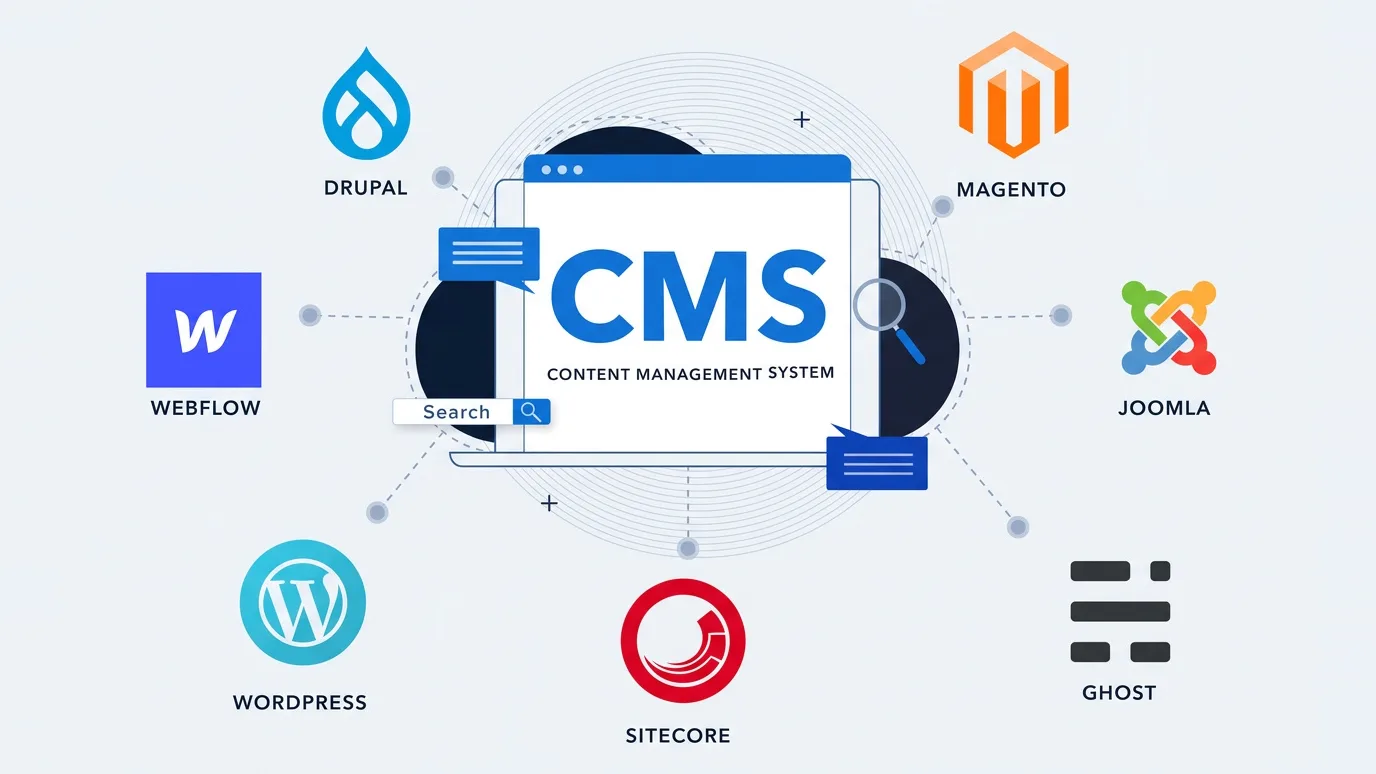
A Content Management System, or CMS, supports content editing. WordPress, Webflow and Drupal are examples to assess.
Some websites need custom development. Examples include private dashboards and interactive planning tools. Internal software connections may also need custom work.
Compare platforms using these questions:
Can staff manage routine updates?
Does it support the required integrations?
How will hosting work?
Who will handle maintenance?
Can staff create campaign pages?
What subscriptions are required?
Can you export important records?
Clarify ownership too. Identify who controls your domain and hosting. Record who owns the website files and connected accounts.
6. Create a Consistent Agency Brand and Visual Direction
Your website should reflect your agency’s identity.
Define your brand system first. Include logo rules, colors and typography. Set an image style and button appearance.
Create a simple brand style guide. Use it across service pages and campaign pages. Future editors can follow the same rules.
Choose visuals that explain your work. Use approved campaign examples and project screenshots. Team photographs can add context.
Keep animation purposeful. It should support an interaction or highlight useful content.

7. Plan Digital Marketing Website UI and UX
User Interface, or UI, covers visible controls. User Experience, or UX, covers how people use them.
Start with wireframes. These show where information will appear. Visual details come later.
Map common visitor journeys. A PPC prospect may start on a service page. They may then read a case study. After that, they may book a consultation.
Connect these steps with clear links. Place calls to action where they make sense.
Use familiar menu labels. Visitors should find services and contact details easily.
8. Build a Homepage That Communicates Your Offer
Your homepage should introduce your agency. It should guide visitors toward useful details.
Start with a clear headline. Explain your offer and target audience. Add a relevant next step.
A useful homepage structure includes:
Your agency’s focus.
Your core services.
Selected project evidence.
Your working process.
Relevant client feedback.
Answers to common concerns.
A contact section.
Keep detailed service explanations on dedicated pages. Give visitors enough information to choose their route.
Use specific statements. Explain what your team does.
9. Develop Service Pages Around Client Questions
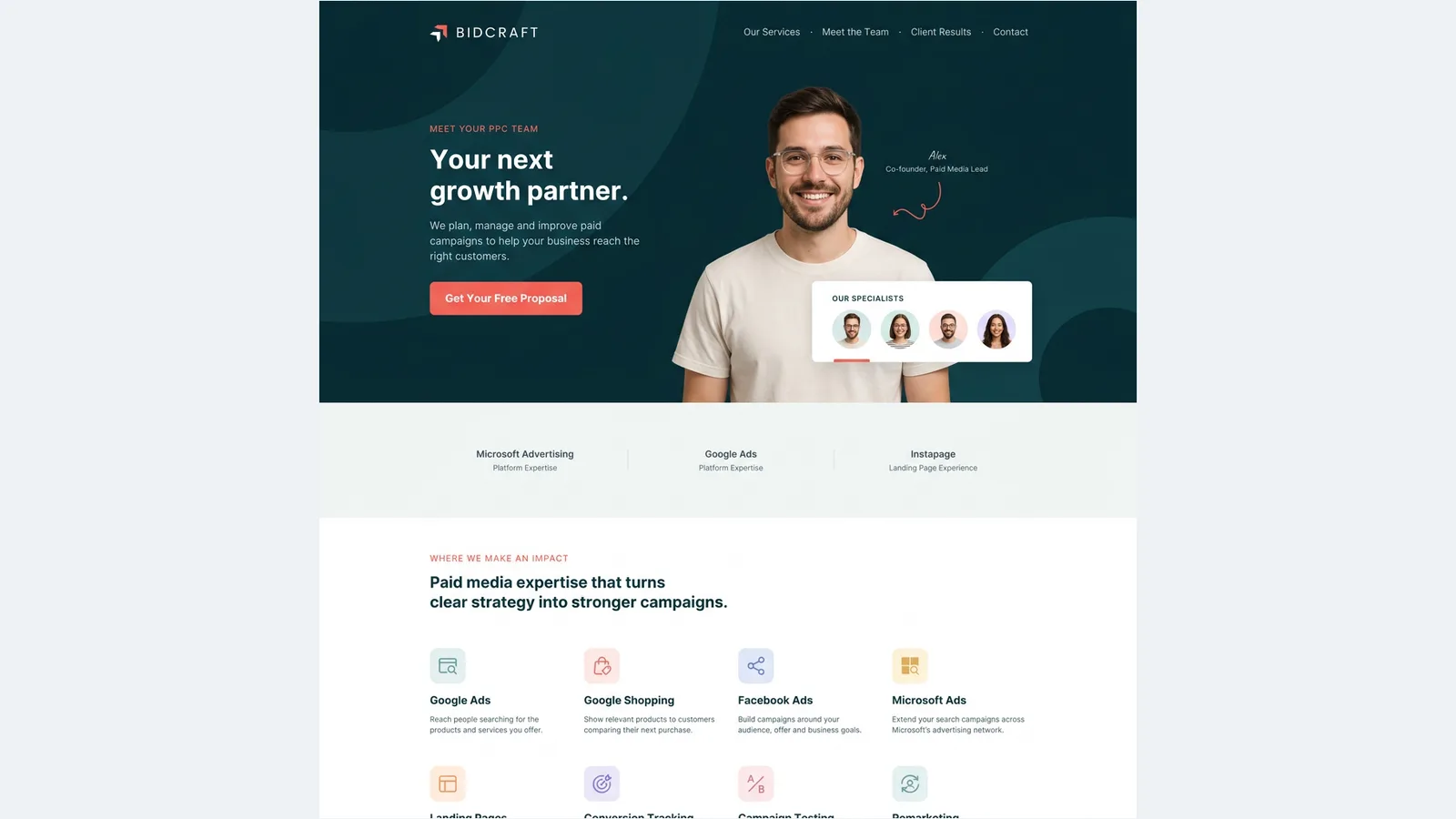
Service pages should explain the work. They should also define scope and client involvement.
Give each page a clear topic. Relevant services may include SEO and PPC advertising. Others include social media, content and email marketing.
Conversion Rate Optimization may need a separate page too.
SEO Agency Website Pages
Explain which SEO services you provide. These may include technical SEO and on-page SEO. Local SEO, ecommerce SEO and content planning may also apply.
Describe reviews, deliverables and reporting. Avoid promising specific search rankings.
PPC Advertising Agency Website Pages
Name the advertising services you manage. These may involve Google Ads or Microsoft Advertising. Paid social campaigns may also be included.
Explain account setup, creative work and tracking. Clarify whether landing pages are included. Separate advertising spend from management fees.
Social Media Marketing Website Pages
List the channels you support. These may include Meta platforms and LinkedIn. TikTok and YouTube may also apply.
Explain publishing and content approvals. Define community management responsibilities. Tell clients what they need to provide.
Content Marketing and Email Marketing Pages
Explain your content research and planning process. Describe production and distribution where relevant.
Separate newsletters from automated email sequences. Explain campaign planning and subscriber management. Describe how reporting works.
Conversion Rate Optimization Pages
Explain which visitor journeys you review. These may include landing pages and forms. Ecommerce projects may include checkout steps.
Describe how you identify problems. Explain how you evaluate changes. Base decisions on relevant evidence.
10. Build Portfolio and Case Study Templates
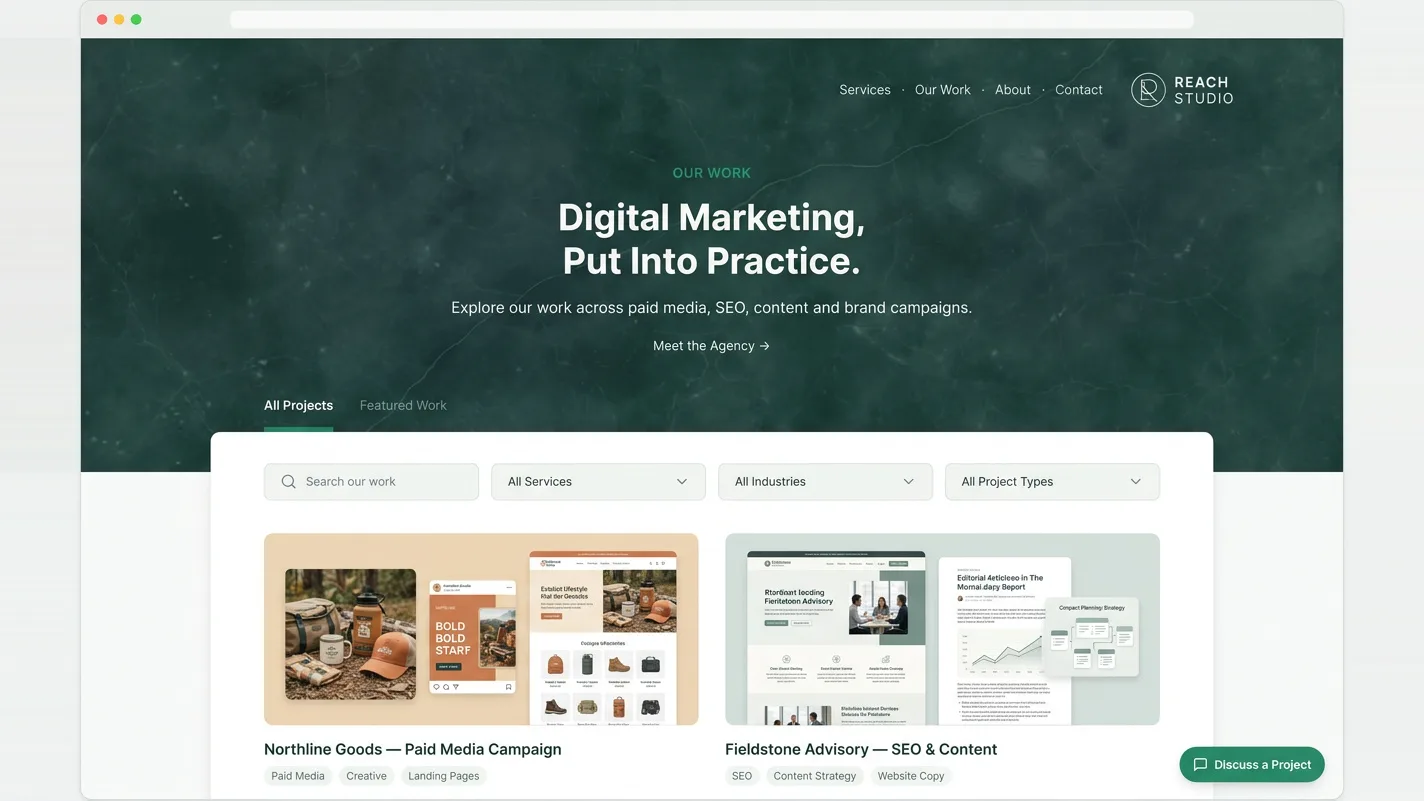
A portfolio displays your work. A case study explains the project.
Use a consistent structure. Include the client’s situation and starting challenge. Describe the scope, work and documented outcomes.
Define performance figures clearly. More form submissions do not always mean more qualified leads.
Include the reporting period. Explain relevant conditions. Distinguish Cost Per Lead from Return on Ad Spend.
Define conversion rate where you use it. Publish only approved information.
Build editable case study templates. Keep the layout consistent across projects.
11. Develop Front-End Components and Responsive Layouts
Front-end development turns designs into browser pages.
Create reusable components. These may include service cards and testimonials. Case study previews and forms can follow shared patterns too.
Build layouts for different screens. Test phones, tablets and desktop computers.
Use real content during testing. Long headings can expose layout problems. Detailed testimonials may need extra space.
Show clear feedback for actions. Visitors should recognize successful submissions. They should also understand errors.
12. Configure the CMS and Back-End Workflows
Back-end development manages behind-the-scenes processes. These include storing inquiries and checking information. User access may also depend on these functions.
Plan the administrative tools around staff tasks.
Create editing areas for services and articles. Add structured fields for case studies and team profiles.
Set appropriate permissions. Contributors may prepare drafts. Editors may approve and publish them.
Document the publishing process. This helps prevent unfinished content from going live.
13. Develop Lead Generation Forms and Booking Tools
Collect enough information for a useful response. Keep the first inquiry manageable.
A project form may ask for:
Name.
Business email.
Website address.
Service interest.
Project description.
Add budget and timing questions when useful. Each field should serve a purpose.
Use clear labels and error messages. Confirm successful submissions. Explain what happens next.
Show consultation details before booking. Include the purpose, duration and time zone.
Test the full process. Check the calendar entry and confirmation messages.
14. Create Campaign Landing Pages and Resource Downloads
A landing page should match its campaign.
An SEO consultation advertisement needs a relevant destination. The page should explain that offer directly.
Align the message, evidence and form. Give the visitor a clear action.
Lead magnets may include checklists and guides. Original research reports are another option.
Decide how visitors access each resource. Some downloads may be open. Others may require registration.
Explain what follows a download request. Keep newsletter preferences clear. A download should not imply an ongoing subscription.
Build reusable landing page templates. Give editors controlled fields and a review process.
15. Connect CRM and Marketing Automation Systems
A Customer Relationship Management system organizes prospect information. It also supports follow-up activity.
Your website may connect with HubSpot or Salesforce. Zoho CRM is another example.
Email workflows may involve Mailchimp or ActiveCampaign.
Check compatibility before implementation. Review provider APIs and account permissions. Confirm any licensing requirements.
Define these integration rules:
Field mapping: Choose a destination for each value. Keep fields consistent between systems.
Lead assignment: Assign inquiries to the right team. Account for incomplete submissions.
Duplicate handling: Define how repeat inquiries affect records. Avoid unnecessary copies.
Failure handling: Identify unsuccessful transfers. Create a process to recover missing information.
Keep automation rules clear. Give staff a way to review unusual cases.

16. Plan Website Analytics and Conversion Measurement
Start with the questions your reports must answer.
Your setup may include Google Analytics 4. Google Tag Manager and Google Search Console may also be involved.
These tools serve different roles. Define what each should contribute.
Track meaningful actions. Examples include successful inquiries and confirmed consultations. Selected downloads may also matter.
Separate button clicks from completed submissions. This keeps reports more accurate.
Use consistent UTM parameters where appropriate. Document campaign naming rules.
Compare reports with sales feedback. Inquiry volume alone does not show lead quality.
17. Build Technical SEO Into the Website
Technical SEO supports access to public content. It also helps search engines understand pages.
Use descriptive URLs and logical headings. Add relevant internal links.
Provide editable titles and meta descriptions. Include these controls in your CMS.
Your checklist should also cover:
XML sitemaps.
Robots directives.
Canonical URLs.
Redirects.
Broken links.
Accurate structured data where applicable.
Give each service page a clear purpose. Use related keywords where they fit.
“Digital marketing agency website development” fits development content. “Responsive marketing website design” fits device and layout guidance.
18. Improve Website Performance and Accessibility
Review performance during development.
Oversized images can slow pages. Large videos and unnecessary scripts can add delays.
Optimize media. Load only the tools each page needs.
Test important tasks on mobile connections. Include forms and booking pages.
Build accessibility into the same review.
Use clear labels and logical headings. Check text contrast and keyboard focus.
Make controls work without a mouse. Add text alternatives for meaningful images.
Combine automated checks with manual testing. Pay close attention to interactive features.
19. Plan Website Security and Privacy Controls
Choose protection based on the information you handle.
Set appropriate administrator permissions. Protect accounts and maintain software.
Create a backup process. Assign someone to manage it.
Define upload formats and handling rules. Check access to private resources.
Review data collected by forms and integrations. Keep confidential inquiry text out of analytics.
Explain subscriptions and data collection clearly. Match those explanations to actual website behavior.
20. Add Client Portals and AI Tools Where They Help
Give optional features a defined purpose.
A client portal may hold documents and project updates. It may also provide report access.
Review existing tools first. They may already support these tasks.
An AI assistant may explain published services. It may also summarize inquiries for staff.
Use current reference material. Set clear operating limits.
Send pricing commitments and project decisions to your team.
Consider ongoing maintenance. Each feature needs testing and a responsible owner.
21. Test, Launch and Maintain the Website
Test complete tasks before launch.
Submit an inquiry. Follow it into the CRM.
Book a consultation. Check the calendar and confirmation.
Publish a case study through the CMS.
Test unsuccessful actions too. Try missing fields and unsupported uploads. Check expired booking links.
For website replacements, prepare redirects. Review migrated content and important URLs.
Repeat essential checks after launch. Assign content and technical maintenance owners.
Monitor connected tools. Investigate repeated errors before adding more features.
What Affects Digital Marketing Website Development Cost?
Cost depends on the project scope.
Page templates and content preparation affect the estimate. Custom functions and integrations add work.
Data migration may increase requirements. Private accounts can also add complexity.
Timeline depends on approvals and available information. Missing content can delay progress. Unresolved integrations can do the same.
Request a detailed estimate. Clarify hosting, training and subscription costs.
Check whether maintenance is included. Separate launch essentials from future additions.
Common Digital Marketing Agency Website Mistakes
Publishing Claims Without Useful Evidence
Explain how your agency works. Support claims with accurate examples. Give results enough context. Readers need to understand what the figures represent.
Offering Too Many Unclear Services
Organize services around real capabilities. Explain the scope of each offer. Show how related services connect. Keep their differences clear.
Measuring Every Click as a Lead
Define completed actions carefully. Separate engagement from actual inquiries. Track qualified opportunities separately too. This supports more useful reporting.
Ignoring the Staff Experience
Give editors practical publishing tools. Make lead handling clear for sales staff. Test these internal tasks. They affect everyday website use.
Leaving Ownership Unclear
Record who controls important accounts. Include the domain, hosting and integrations. Assign update responsibilities. Define who handles technical problems.
Ready to Plan Your Digital Marketing Agency Website?
Start with your audience and services. Define how inquiries should reach your team. Use these details to plan pages and features. Set clear development requirements.
The Custom Websites provides digital marketing website design and development services. Prepare your goals, tools and approved project material. These details help define a practical website scope.