A professional website helps people explore vehicles, book services and request transport quotes. Automotive & Transportation Website Design and Development brings together the layout, content and tools needed to support these tasks. The right approach depends on your business and what customers need to do online.
A car buyer may want to compare available models. A shipping customer needs to check service coverage. Someone with a broken vehicle wants a quick way to book a repair. Your website should make each relevant task easy.
This guide explains how to plan, build and manage a website that serves your customers and supports your daily work.
Why Your Automotive or Transportation Business Needs a Professional Website
Customers often need answers before they are ready to call. They may want to check a vehicle price, confirm a service area or understand rental terms. A useful website gives them that information at any time.
It can also improve the quality of inquiries. A freight form that asks for load size gives your team a better starting point. A vehicle page with complete specifications helps buyers decide whether to arrange a viewing.
The aim is to help people make informed decisions. Your website should also make it easier for staff to handle the next step.
1. Set a Clear Website Goal
Start with one question: What should visitors do on your website?
For a dealership, the main goal may be test drive requests. A rental company may need confirmed reservations. A trucking business may want qualified freight inquiries.
Choose a main action for each key page. Use a clear button such as “Book a Service” or “Request a Freight Quote.” Avoid placing several competing offers at the top.
Automotive Website Development should follow your sales or service process. Transportation Website Development should reflect how customers arrange and manage a journey or shipment.
List your launch essentials first. You can add advanced features when there is a clear need and budget.
1.1 Understand Your Customers Before Planning Pages
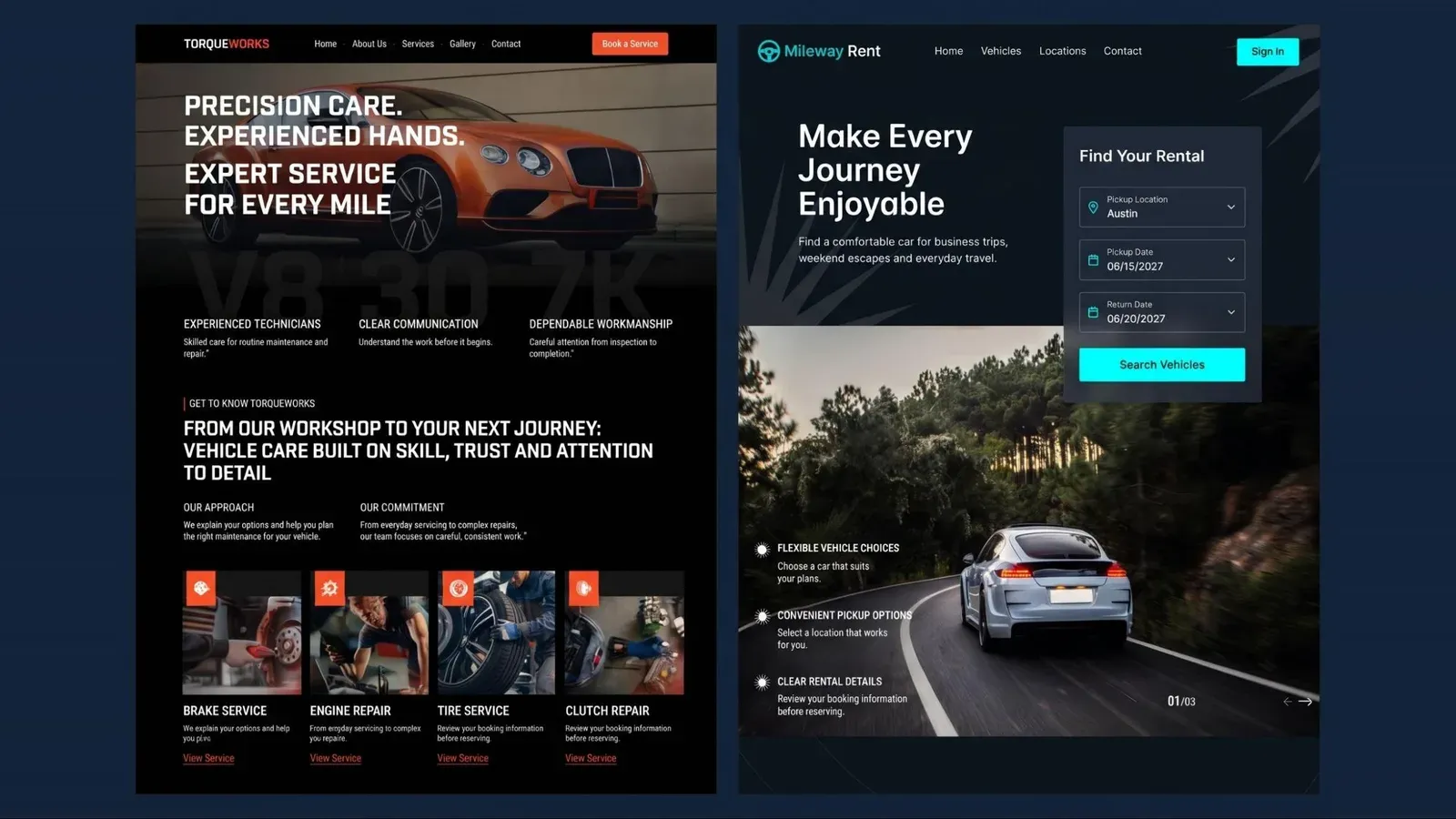
Speak with your sales, service or dispatch team. Ask which questions customers repeat and what details are often missing from inquiries.
A family renting a car may ask about luggage space and child seats. A business shipping equipment may need load capacity and loading requirements. Use these needs to shape your content and forms.
Review similar business websites for useful ideas. Look for gaps such as unclear pricing or difficult booking steps. Build your own structure around your customers rather than copying a competitor.
2. Choose Features for Your Business
Different businesses need different website tools. Use your customer journey to decide what belongs on the site.
Business |
Website focus |
Useful features |
Car dealership |
Help buyers find suitable vehicles |
Inventory filters, vehicle details and test drive forms |
Auto repair shop |
Turn service searches into appointments |
Service pages, opening hours and appointment requests |
Auto parts store |
Help shoppers choose compatible parts |
Part numbers, fitment search and online checkout |
Car rental company |
Help customers reserve available vehicles |
Date selection, pickup locations and booking confirmations |
Logistics provider |
Collect accurate shipment inquiries |
Coverage details, freight forms and customer portals |
Trucking company |
Explain hauling capabilities |
Equipment details, routes and quote requests |
Fleet business |
Support approved customer or staff tasks |
Account access, vehicle records and status dashboards |
2.1 Car Dealerships and Auto Repair Shops
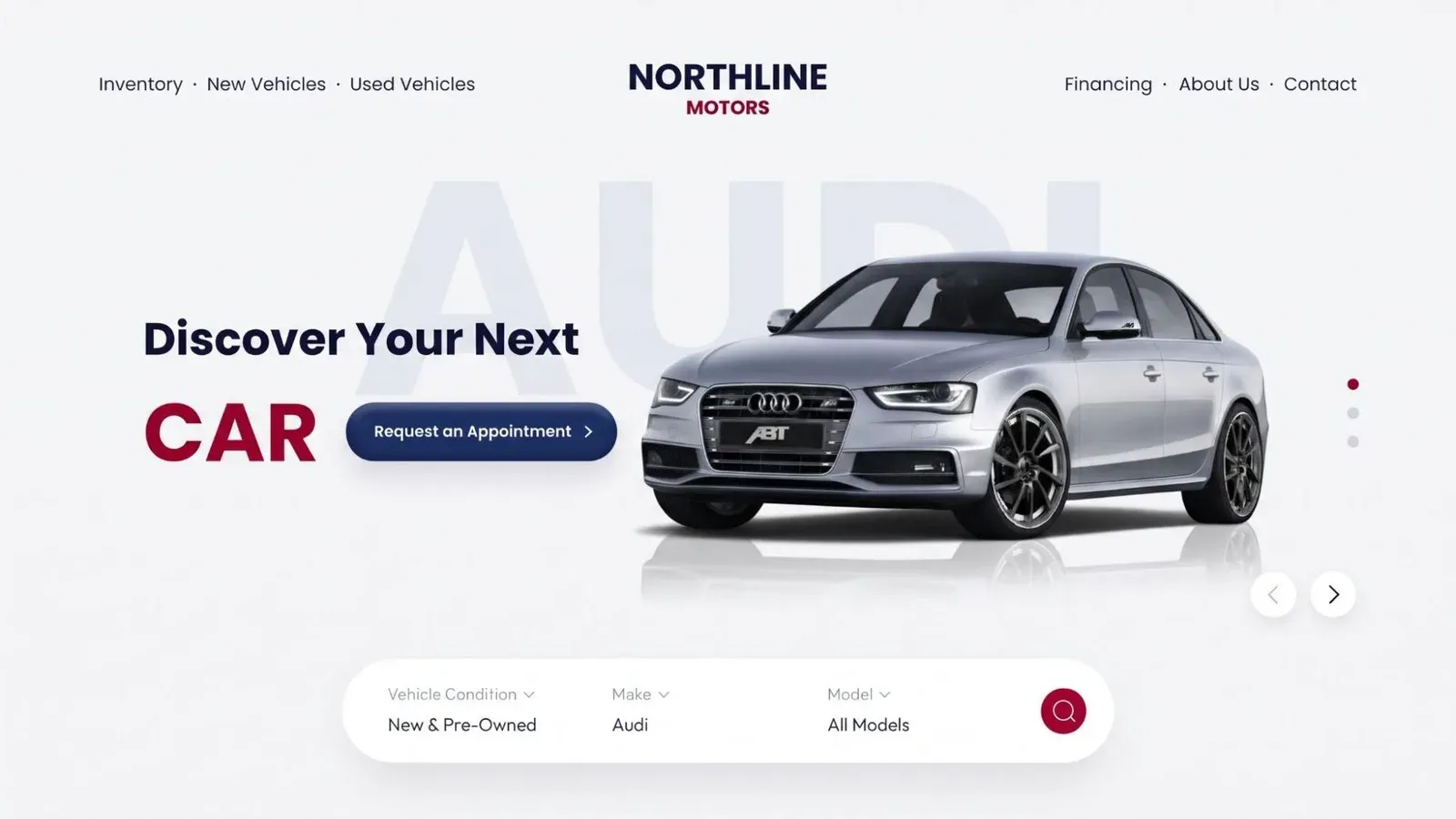
Car Dealership Website Development needs accurate stock information and detailed vehicle pages. Show the vehicle identification number where appropriate. Explain whether a displayed price includes additional charges.
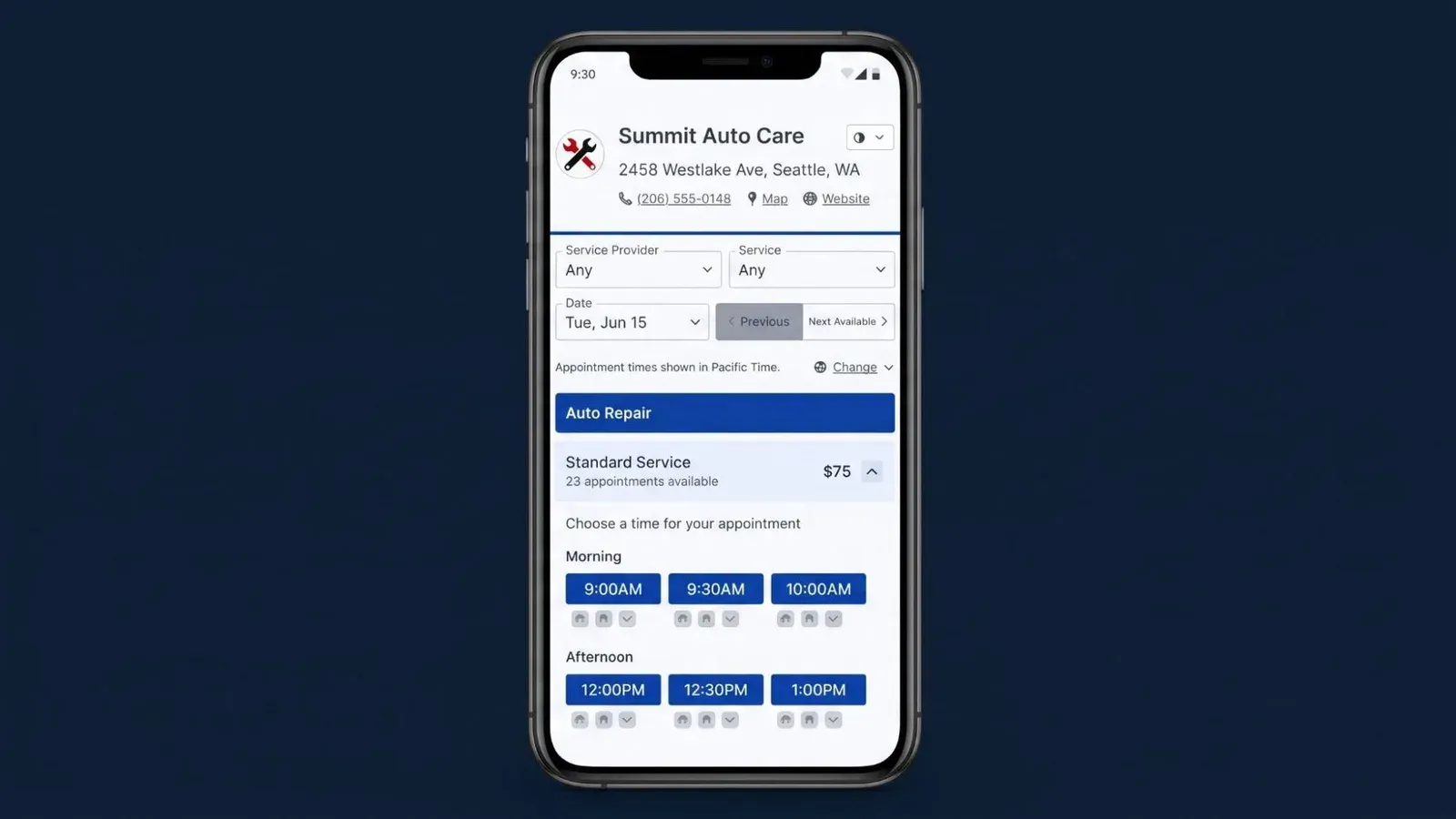
Auto Repair Website Development should help drivers choose a service and request an appointment. Ask for the vehicle make, model, year and main concern. Let customers describe symptoms if they do not know which repair they need.
2.2 Auto Parts Stores and Rental Companies
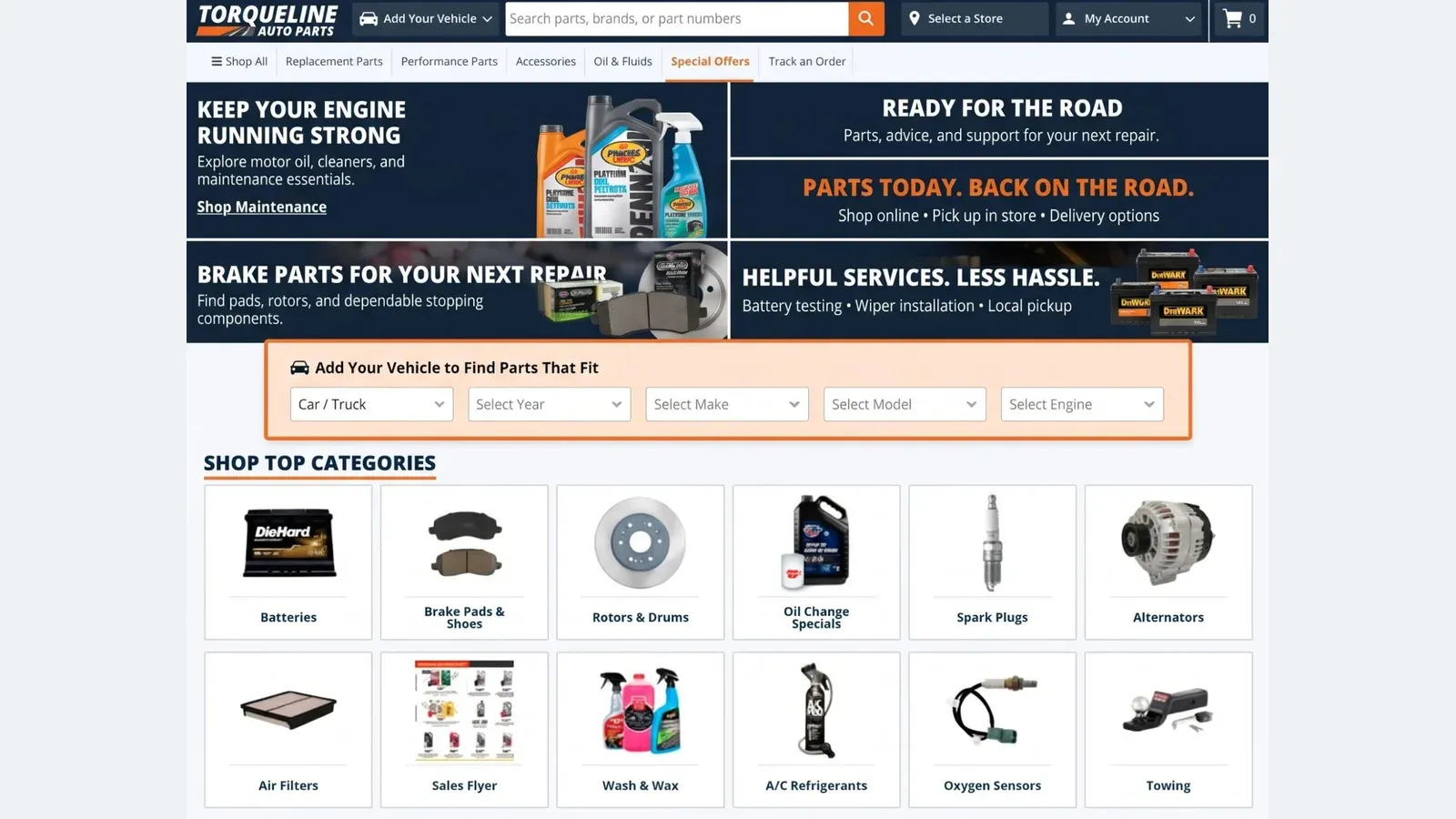
Auto Parts Website Development requires reliable compatibility information. A part may fit one engine option but not another. Give shoppers a way to check fitment and compatibility before buying.
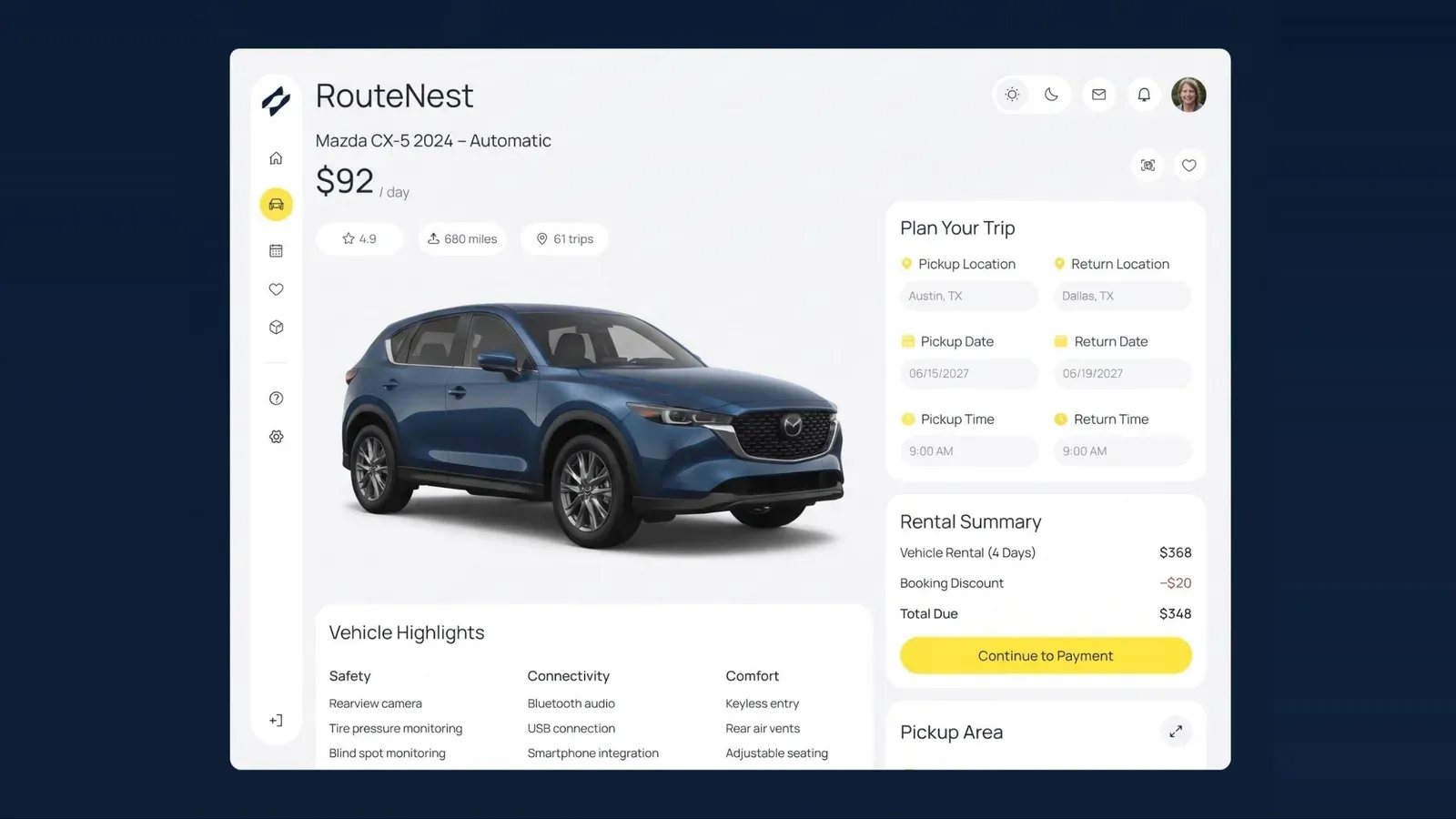
Car Rental Website Development should explain pickup rules, included mileage and deposit requirements. Show optional extras separately so customers understand the total before confirming a reservation.
2.3 Logistics, Trucking and Fleet Businesses
Logistics Website Development should collect the shipment origin, destination, weight and dimensions. Add fields for special handling when relevant.
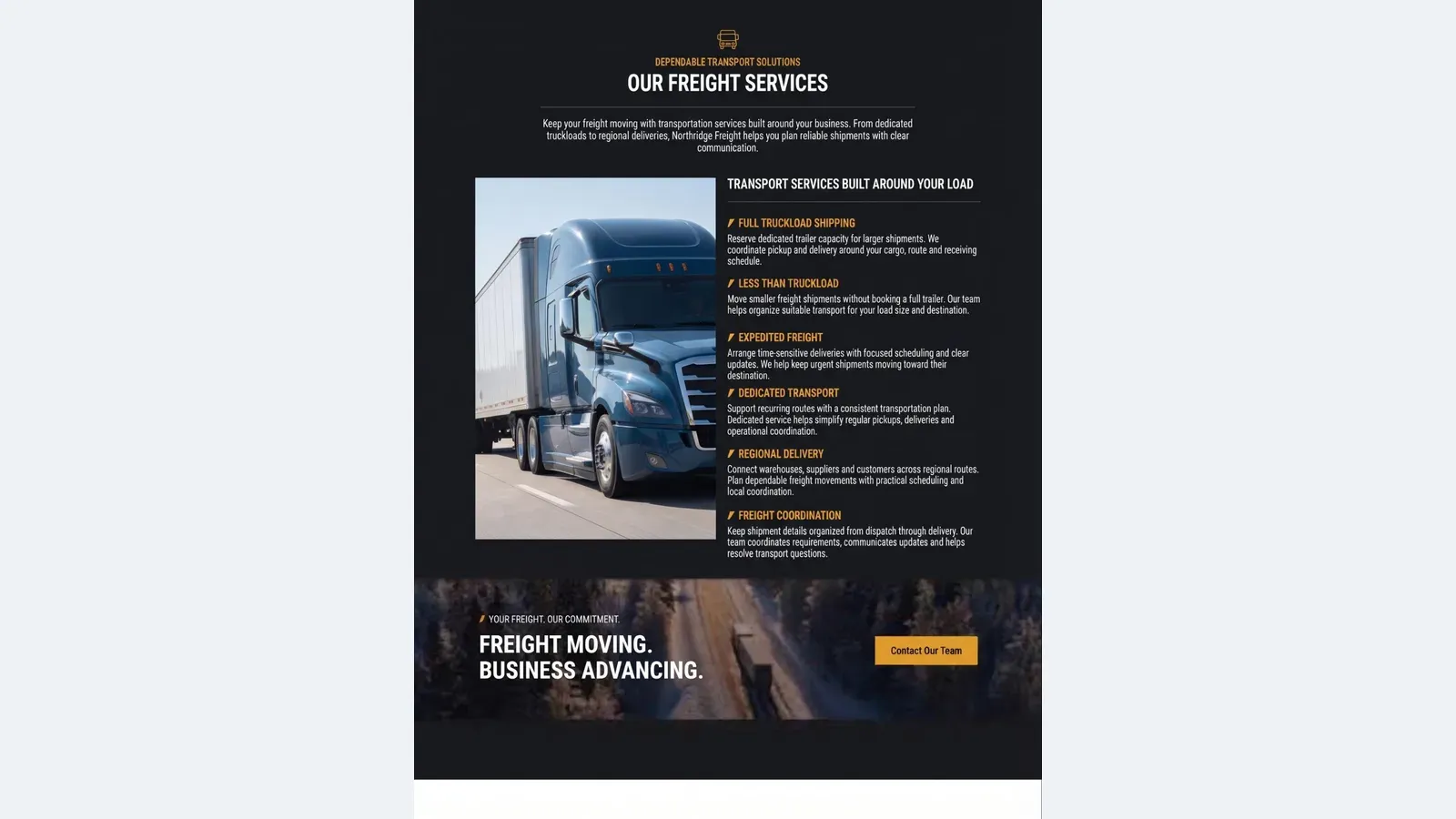
For Trucking Company Website Development, explain equipment types and hauling capabilities. A clear flatbed service page can help customers decide whether you can carry their load.
Commercial Transportation Website Development may need passenger counts, pickup times and recurring journey requests. Make room for accessibility or luggage requirements where they affect the service.
Fleet Management Website Development often includes a private dashboard. Keep internal fleet information separate from public marketing pages. Define which customers or staff can access each record.
3. Plan a Simple Page Structure
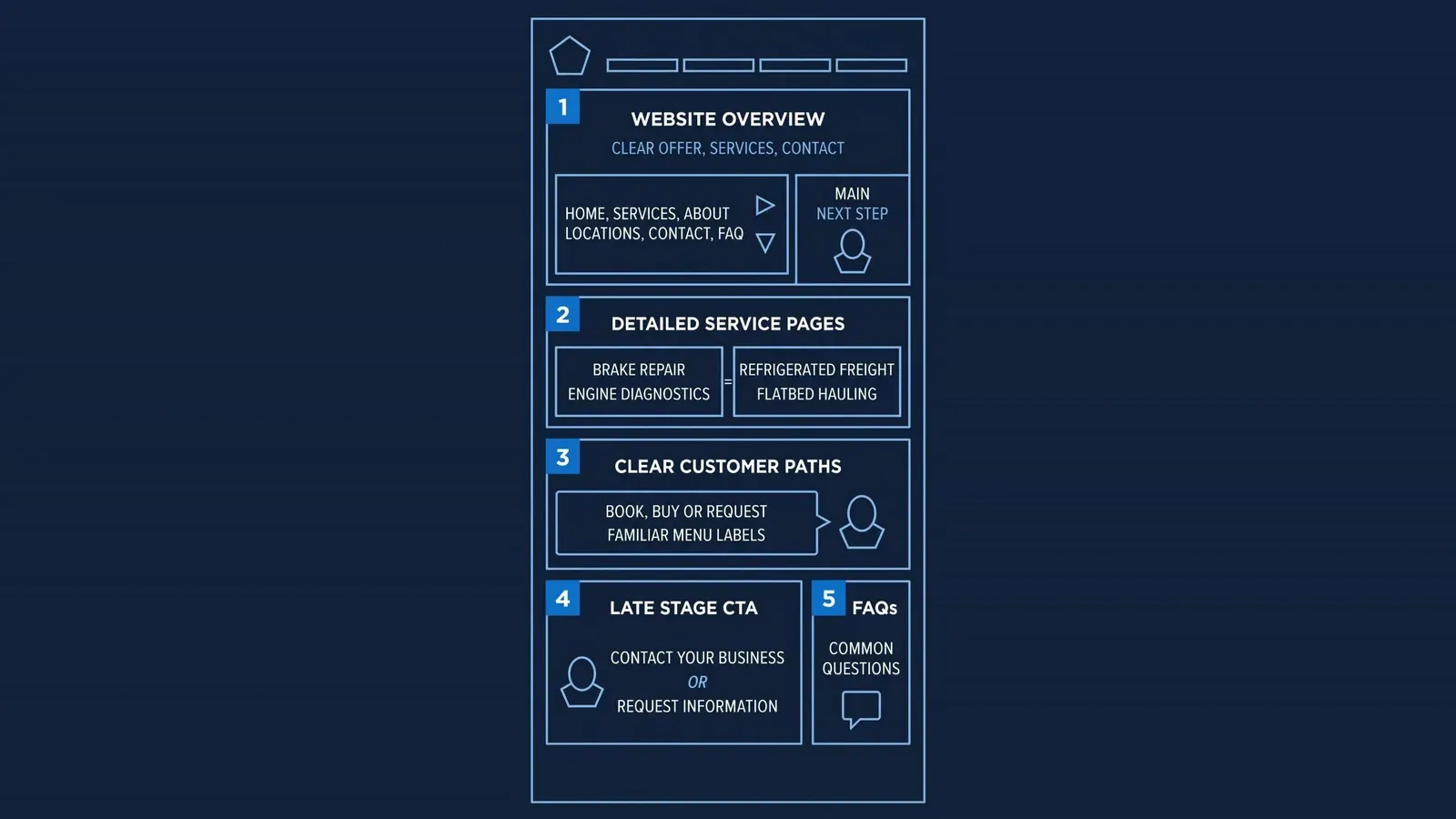
Visitors should understand your business within a few seconds. Give them clear paths to services, vehicles and contact options.
Most websites can start with these pages:
Home: Explain your offer and show the main next step.
Services or inventory: Organize what customers can book, buy or request.
About: Introduce your team and relevant experience.
Locations or coverage: Show where you operate.
Contact: Provide your phone number, address and inquiry form.
FAQs: Answer common questions about your process.
Add detailed pages where customers need more information. A repair shop might separate brake repair from engine diagnostics. A carrier could create distinct pages for refrigerated freight and flatbed hauling.
Vehicle Business Website Development works best when menus use familiar terms. Labels such as “Available Cars” and “Request Transport” tell visitors more than vague wording.
4. Choose a Domain Name and Reliable Hosting
Use a domain name that matches your business and is easy to remember. Keep ownership under a business account so access remains available if your provider changes.
Choose hosting based on the website's workload. A small repair website has different needs from a large parts store or booking portal. Ask about backups, support and how the service handles traffic increases.
Set up business email and check that website messages reach the correct team. A submitted quote request is only useful when someone receives and handles it.
5. Design for Mobile Visitors
A customer may visit your website from a roadside location, a showroom or a warehouse. The layout should work well on a small screen.
Use readable text and buttons with enough space around them. Keep phone numbers easy to tap. Make forms short and show helpful messages when information is missing.
For Automotive Website Design and Development, give vehicle photos and key specifications room to breathe. Avoid placing important details inside large image sliders.
Transportation Website Design and Development should make coverage, contact details and quote options easy to find. A visitor should not need to search several pages to learn whether you serve their route.
5.1 Make the Website Accessible
Use clear form labels, readable color contrast and keyboard controls. Visitors should be able to see which button or field has keyboard focus. Add useful alternative text to meaningful images.
Write error messages that explain how to fix a problem. For example, “Enter your pickup date” is clearer than “Invalid input.” Keep entered details when someone needs to correct one field.
5.2 Keep Important Pages Fast
Resize vehicle images before uploading them. Avoid making visitors download a full video just to see your main message.
Test inventory pages with realistic listing numbers. A design that works with six vehicles may become difficult to use with several hundred. Check filters, image loading and page navigation on mobile connections.
6. Create Useful Vehicle and Service Pages
Strong pages answer the questions customers ask before contacting you.
A vehicle listing should show the price, year, mileage and availability. Add clear photos of the exterior and interior. Include relevant specifications and explain how buyers can arrange a viewing.
A Vehicle Inventory Management System can help staff manage listings from one place. Decide which system controls stock status and how updates reach the website.
Vehicle Search and Filtering Development helps buyers narrow results by factors such as make, model and price. Offer filters based on information you can keep accurate.
For repair services, explain what the service covers and how appointment requests work. For transport services, include operating areas, vehicle types and the details needed for a quote.
6.1 Add Proof That Helps Customers Decide
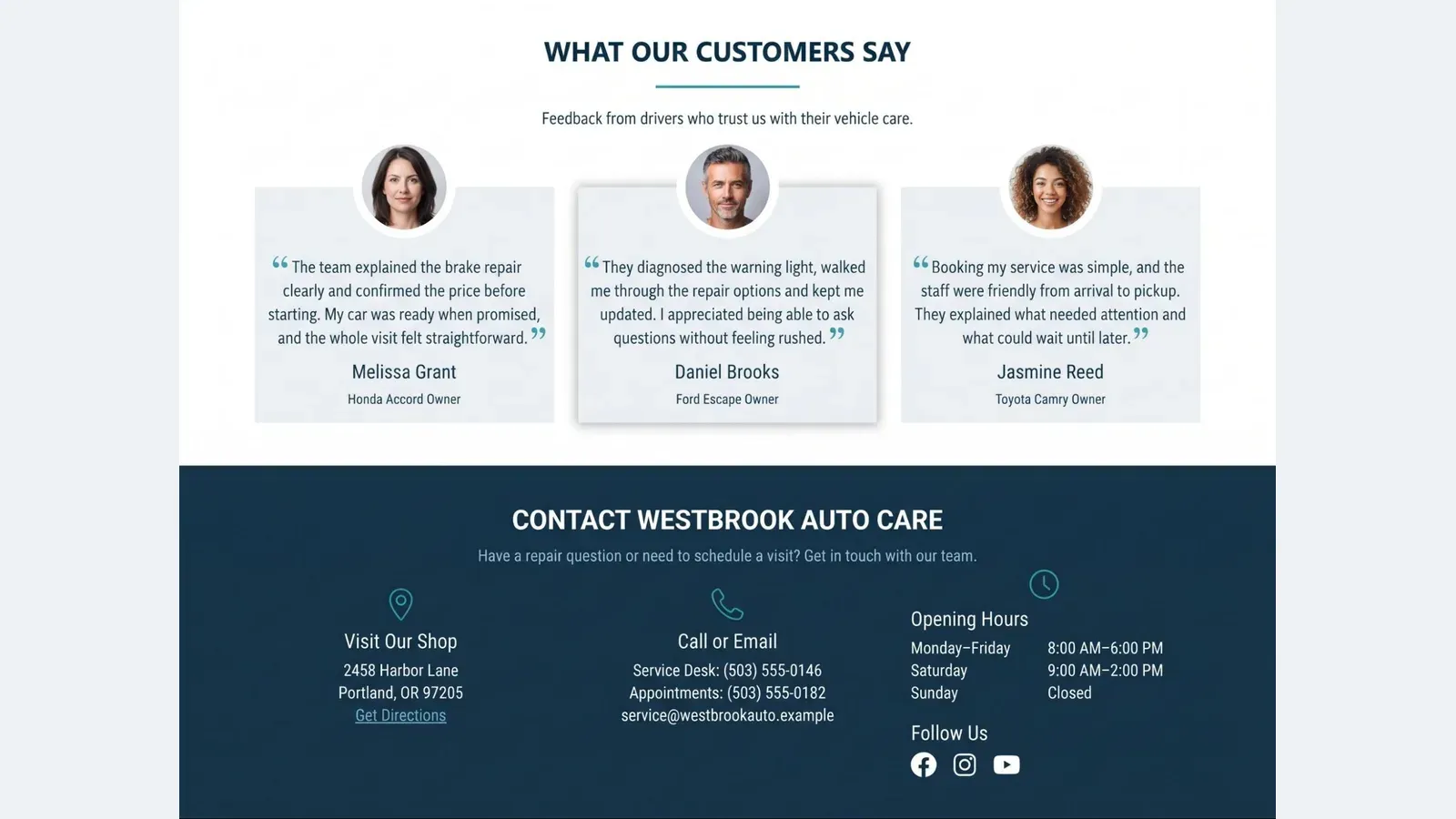
Automotive Company Website Development should show real reasons to trust the business. Use genuine team photos, customer feedback and relevant credentials. Only display claims you can support.
Show your location, opening hours and contact details clearly. A transport company can explain its equipment and handling process. A repair shop can introduce its technicians and describe any warranty it actually provides.
Use original photos when possible. Customers benefit from seeing the vehicles, workshop or fleet they may deal with.
7. Choose a Platform Your Team Can Manage
Your website needs to work for staff as well as customers. Before choosing a platform, list who will update prices, listings and service details.
A content management system, or CMS, lets approved staff edit website content. Automotive CMS Development may include vehicle listing fields and sales team permissions. Transportation CMS Development may focus on routes, service areas and location pages.
Ask your developer to explain the editing process before you approve the platform. Your team should be able to complete common updates with clear instructions.
Custom Automotive Website Development can suit a business with unusual inventory rules or sales workflows. Custom Transportation Website Development may be useful for complex quotes, customer accounts or dispatch connections.
A simpler website may suit a business that only needs service pages and inquiry forms. Choose custom work for a defined business need.
Approach |
Suitable starting point |
What to check |
Standard CMS website |
Service pages and basic inquiries |
Editing tools, updates and form handling |
Ecommerce platform |
Parts catalogs and online orders |
Fitment data, stock updates and checkout options |
Custom website or application |
Complex bookings, portals or connected workflows |
Development scope, support and ongoing costs |
Ask who owns the domain, content and project files. Confirm what you can export if you change providers. Include staff training in the handover plan.

8. Build Reliable Booking and Checkout Tools
Decide whether customers are submitting a request or making a confirmed booking. Make that difference clear on every form and confirmation message.
Vehicle Booking Website Development should cover dates, locations and availability checks. Vehicle Booking System Development must also handle changes and cancellations.
An Online Vehicle Reservation System should confirm availability before promising a vehicle. Plan how the system will prevent overlapping reservations and handle failed payments.
8.1 Separate Requests From Confirmed Reservations
For repair appointments, collect the vehicle details and preferred time. Explain whether your team must approve the slot.
A rental booking needs a more detailed process. Customers choose dates, select a vehicle or category and review the total. The system then checks availability before confirming the reservation.
Include turnaround time between rentals if staff need to clean or inspect vehicles. Plan what happens when a vehicle becomes unavailable after a booking.
Automotive Ecommerce Website Development needs accurate prices, stock information and order handling. For parts stores, Automotive Ecommerce Development should also support fitment details, delivery information and returns.
8.2 Handle Payments and Order Status Correctly
Automotive Payment Gateway Integration connects checkout to a payment provider. Test successful payments, declined transactions, refunds and booking deposits before launch.
Confirm payment through the provider's verified system notification before marking an order paid. A customer reaching a success page alone is not enough to prove payment.
Explain delivery charges, deposits and cancellation terms before the final step. Send a confirmation that includes the order or booking reference.
8.3 Connect Your Business Systems
Useful connections can reduce repeated data entry. Start by identifying where customer, vehicle and shipment information already lives.
Automotive CRM Integration can send website inquiries to your customer management system. Include the selected vehicle or service so staff understand the request.
Transportation API Integration connects the website with other software. Depending on the provider, this may support shipment updates, rate requests or dispatch information.
Fleet Tracking System Integration can show vehicle status to approved users. Define who can see location data and show when it was last updated.
Ask these questions before approving a connection:
Which system supplies the information?
How often does the website receive updates?
What happens when the connection fails?
Who can view or change the data?
Show a clear message when data is unavailable. An old status should not appear to be a current update.
9. Plan the Work Behind the Pages
The visible website and its background systems must work together.
Automotive Front-End Development covers the screens customers use. Automotive Back-End Development handles processes such as inventory updates and form submissions.
Transportation Front-End Development includes quote forms and customer dashboards. Transportation Back-End Development supports account permissions, shipment records and connected services.
Automotive Website Database Development organizes information such as vehicles, inquiries and reservations. Plan how records will be updated, backed up and removed when no longer needed.
More complex projects may involve Automotive Web Application Development or Transportation Web Application Development. Examples include a dealer portal or a customer shipment dashboard.
Define staff roles early. Someone editing vehicle photos may not need access to customer records or payment settings.
10. Protect Customer Information and Website Access
Collect only the details needed for each task. A basic freight inquiry rarely needs the same information as a confirmed account booking.
Use HTTPS across the website. Give staff individual accounts and access suited to their role. Remove accounts when someone leaves the business.
Plan how your team will manage software updates, backups and suspicious activity. Keep private documents behind proper access controls. A hard to guess page address should not be the only protection.
Explain how submitted information will be used. When payments are required, use the payment provider's supported checkout tools to limit direct handling of card details.
11. Make Content Clear and Easy to Find
Write a separate page for each main service. Explain what you offer, who it suits and how customers can take the next step.
Use specific page titles and descriptive headings. Connect related pages with useful internal links. Add location information where it helps customers understand your coverage.
Avoid creating many nearly identical city pages. Each location page should offer meaningful details about that location or service area.
11.1 Build Useful Local Pages
A workshop location page can include directions, parking details and available services. A transport coverage page should explain where a service operates and any important route limits.
Keep business details accurate across your website and business listings. Help visitors confirm which branch or service area matches their needs.
11.2 Check the Technical SEO Setup
Give important pages unique titles and clear web addresses. Use headings that explain the content and internal links that describe the destination.
Create an XML sitemap and check key pages in Google Search Console. For a website redesign, map old page addresses to their relevant replacements. This helps visitors avoid broken links.
Answer practical questions in your content. Examples include how to prepare a vehicle for servicing or what details a freight quote requires.
12. Test Before You Launch
Test the complete customer journey on phones and computers. Include staff members who will handle the inquiries or bookings.
Check whether you can:
Find a vehicle using the available filters.
Submit an inquiry and receive it in the right inbox or system.
Complete a booking without reserving the same vehicle twice.
Recover from a failed payment or connection error.
Use menus and forms with a keyboard.
Update stock and service details through the CMS.
Review every confirmation message. Customers should know what happened and what comes next.
Before launch, also test sold vehicles, empty search results and unavailable booking dates. Make sure staff can handle these cases without confusing customers.
If you are replacing a website, keep a backup of the existing version. Agree on who will check the new site immediately after launch and how urgent issues will be handled.
13. Plan Your Website Budget and Timeline
Website cost depends on the work involved. Page count matters, but booking rules and system connections can require more effort than several simple pages.
Ask for an estimate that separates these items:
Design and development work.
Content writing and vehicle or product data entry.
Inventory feeds, booking tools and other integrations.
Hosting, paid extensions and third party service fees.
Staff training, maintenance and support.
Set milestones for planning, design approval, development and testing. Assign someone to supply content and approve work. Missing photos, incomplete fitment data or delayed access to existing systems can hold up delivery.
Agree on launch requirements first. Then schedule extra features around customer needs and available resources.
14. Maintain and Improve Your Website
After launch, assign responsibility for updates. Remove unavailable vehicles, review service information and check that forms still reach your team.
Automotive Website Maintenance and Support should cover software updates, backups and fault reporting. Check that backups can be restored when needed.
14.1 Measure Inquiries and Completed Bookings
Track useful actions such as completed inquiries, bookings and purchases. A click on a booking button is different from a confirmed reservation. Measure both so you can identify where people leave.
Review inquiry quality with your team. A page may attract many visitors but generate requests outside your service area. Clearer coverage details could help.
If people start a form and leave, check its length and instructions. Use customer feedback to decide what to improve before adding more features.
Choose Automotive Web Development Services or Transportation Web Development Services with clear support terms. Know who handles faults and what work the agreement includes.
15. Common Website Mistakes to Avoid
Small gaps can interrupt an otherwise useful website. Watch for these problems during planning and after launch:
Old inventory: Customers inquire about vehicles that are already sold or unavailable.
Unclear pricing: Deposits, fees or extras appear too late in the booking process.
Generic service pages: Visitors cannot tell which vehicles, routes or loads you handle.
Long inquiry forms: Customers must provide details that are unnecessary at this stage.
Missing follow up: Forms arrive without a clear person responsible for responding.
Unneeded features: Complex tools add cost while basic customer tasks remain difficult.
16. Build Your Website With The Custom Websites
The Custom Websites offers website design and development for automotive and transportation businesses. Its service covers businesses such as dealerships, repair shops, rental companies and logistics providers.
Share your main customer action, required features and existing systems with our team. We can help you plan a website around how your business works and how customers use it.